

What is Progressive Enhancement?
Definition
Progressive enhancement is a web development approach that starts with a meaningful HTML baseline that works in every browser, then layers CSS and JavaScript on top as enhancements that only take effect where they are supported. If a script fails to load, the connection is slow or the browser lacks a feature, the core content and functions remain usable. It reverses the habit of building for the most capable browser first.
Also known as: PE, progressive enhancement strategy
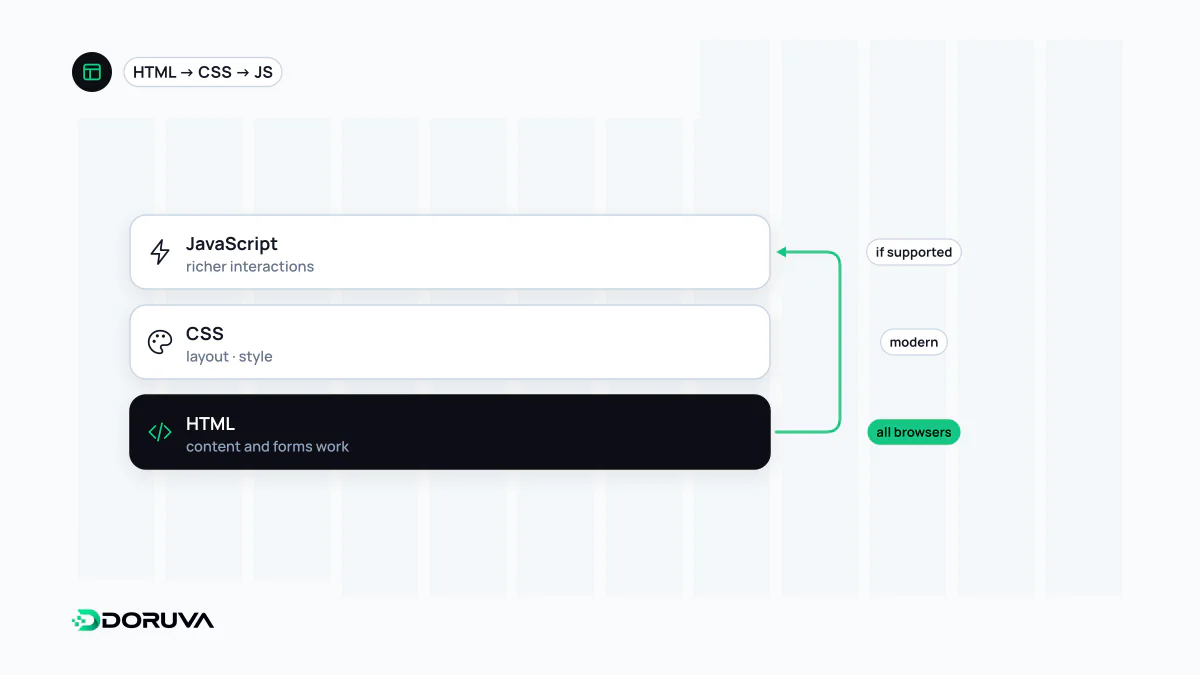
Three layers, built from the bottom
Progressive enhancement treats a page as three stacked layers:
- Content and core function (HTML): text, links, forms and images written in semantic HTML that makes sense and works on its own. A link points to a real URL; a form submits to a real server endpoint.
- Presentation (CSS): layout, colour and typography. Newer features such as grid or container queries are used so that a browser without them falls back to a simpler but readable layout.
- Behaviour (JavaScript): instant validation, submitting without a reload, filtering, animation. These enhancements come last.
Direction is what matters: the baseline experience comes first, and each layer adds to it without breaking what lies beneath.
Not the same as graceful degradation
Graceful degradation starts at the other end. You design the full experience for the most capable browser, then patch in fallbacks for older or restricted environments. On paper both can reach the same result. In practice, fallbacks designed as an afterthought tend to be incomplete, whereas with progressive enhancement the simplest path is the primary one, designed and tested from day one.
A contact form, enhanced
<form action="/contact/send" method="post">
  <label for="email">Email</label>
  <input id="email" name="email" type="email" required>
  <label for="message">Message</label>
  <textarea id="message" name="message" required></textarea>
  <button type="submit">Send</button>
</form>
This form works with no JavaScript at all: the browser handles basic validation through type="email" and required, the submission goes to the server and the server returns a confirmation page. Once JavaScript loads, the same form can be upgraded to submit via fetch without a page reload and to show errors next to each field. Some modern frameworks build this in; in Next.js, for example, forms bound to a Server Action can be submitted even before JavaScript has loaded or when it is disabled.
Feature detection instead of browser sniffing
Rather than guessing from the browser's name or version, you ask whether the feature you need exists:
- In CSS, an
@supports (display: grid) { … }block only applies where grid is supported. - In JavaScript, checks such as
if ("IntersectionObserver" in window)run an enhancement only where it can work. Registering a service worker is typically guarded the same way. <script type="module">runs only in modern browsers, which gives a natural split that keeps modern code away from older environments.
Why it still matters, and where it stops
“Everyone has JavaScript enabled” is not the same as “JavaScript always runs”. A CDN hiccup, a download cut short on a mobile network, a browser extension blocking a script or a single uncaught error can leave a fully JavaScript-dependent interface blank. Even on a good day, the page is visible but unresponsive until hydration finishes, and plain HTML links and forms bridge that gap. The same baseline is a strong starting point for web accessibility, since assistive technologies work best with native elements. Search engine crawlers can execute JavaScript, but content present in the initial HTML reduces JavaScript SEO risk, and bots that do not run scripts see only that layer.
The approach has limits. A photo editor, a live map or an in-browser design tool cannot work without JavaScript by nature. There, the baseline may simply be a clear message explaining what the application is and why it cannot run. The goal is not to build everything without JavaScript, but to decide consciously which functions depend on what.