

What is Open Graph?
Definition
Open Graph is a meta tag protocol that defines the title, description, image and URL shown when a page is shared on social networks or in messaging apps. It was created by Facebook, and its tags go in the HTML head with the og: prefix. X (formerly Twitter) uses its own twitter: card tags but falls back to the Open Graph values when its title, description or image tags are missing.
Also known as: OG tags, og:image, Open Graph protocol, Twitter Card, X card
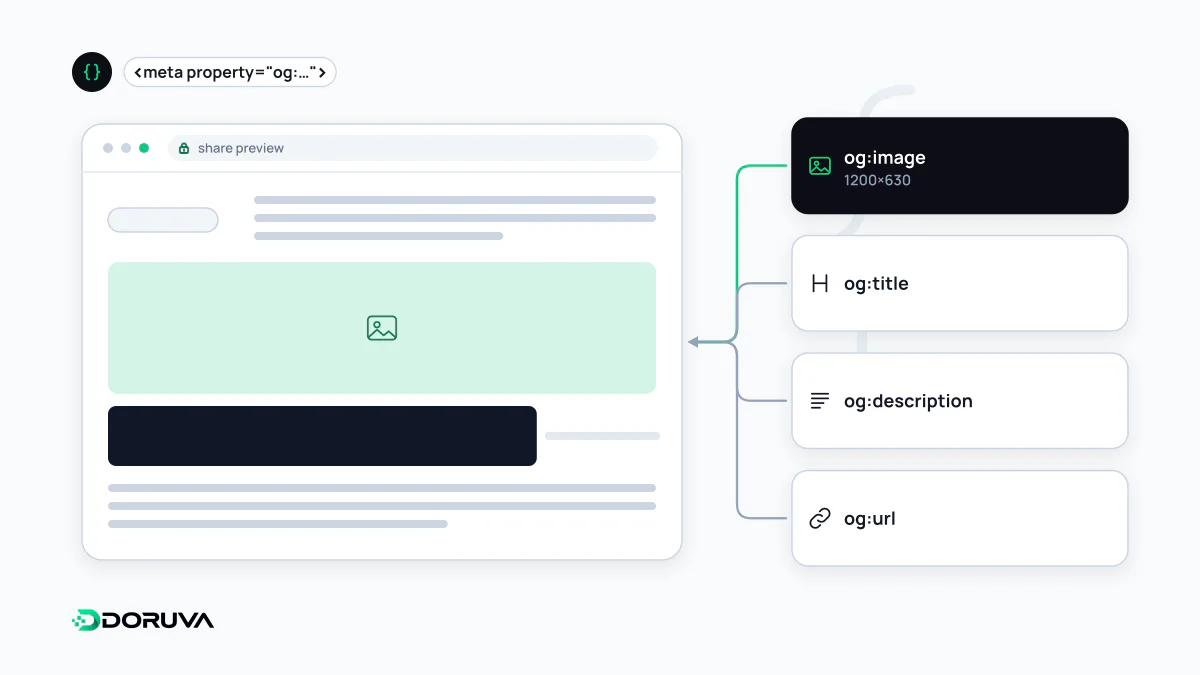
How a link preview gets built
When you paste a link into WhatsApp, LinkedIn or Facebook, the platform's servers fetch the page, read the tags in the <head> and assemble a preview card. Without Open Graph tags the platform guesses: the title comes from <title> and the image from whatever it finds on the page, which often means a cropped logo or an unrelated icon.
According to the protocol's specification, every page needs four basic properties: og:title, og:type, og:image and og:url. og:description, og:site_name and og:locale are optional but almost always worth adding.
<meta property="og:title" content="How We Plan a Corporate Website">
<meta property="og:type" content="article">
<meta property="og:url" content="https://www.example.com/blog/website-process/">
<meta property="og:image" content="https://www.example.com/og/website-process.jpg">
<meta property="og:image:width" content="1200">
<meta property="og:image:height" content="630">
<meta property="og:image:alt" content="Wireframe sketches spread across a desk">
<meta property="og:description" content="From discovery call to launch: the stages of a corporate site.">
<meta property="og:locale" content="en_GB">
<meta name="twitter:card" content="summary_large_image">
og:url acts as the page's permanent ID in the graph, so it should match the canonical URL. Otherwise shares of the same article can end up split across different addresses.
Share images: size and caching
The protocol itself recommends no image size; that is left to each platform. Meta's developer documentation suggests at least 1200×630 pixels for high-resolution screens, an aspect ratio close to 1.91:1 and a file no larger than 8 MB, with 200×200 as the minimum it accepts. It also notes that supplying og:image:width and og:image:height lets the image render on the very first share.
Points that matter in practice:
- Use an absolute image URL that is reachable without logging in; an image in a folder blocked by robots.txt usually won't appear.
- Platforms cache previews. When you change the image, publish it under a new URL rather than overwriting the file, then ask the platform's debugging tool to re-scrape the page.
- Cards are cropped to different ratios, so keep key text and the logo in the center of the image.
- The spec says a page that sets
og:imageshould also setog:image:alt, which gives screen reader users a meaningful preview.
X (Twitter) cards
X builds previews from its own twitter: tags. twitter:card sets the card type: summary shows a small square image, summary_large_image a large one. X's card reference states that when twitter:title, twitter:description or twitter:image is missing, it uses og:title, og:description or og:image instead. With complete Open Graph tags, most sites only need to add twitter:card. The same reference requires card images under 5 MB in JPG, PNG, WEBP or GIF format; SVG is not supported.
Where Open Graph meets SEO
Open Graph is a social sharing standard and is not documented as a ranking factor. It still touches search: Google lists og:title among the sources it uses when it automatically generates title links in results. If your title tag and og:title say very different things, the result page may show a title you didn't expect. The share description doesn't have to equal the meta description, but both should describe the same page.
The usual mistakes are identical OG tags on every page, a staging domain left in og:url and relative image paths. The SEO Checker shows which Open Graph and X card tags a page declares.