

What is CrUX (Chrome UX Report)?
Definition
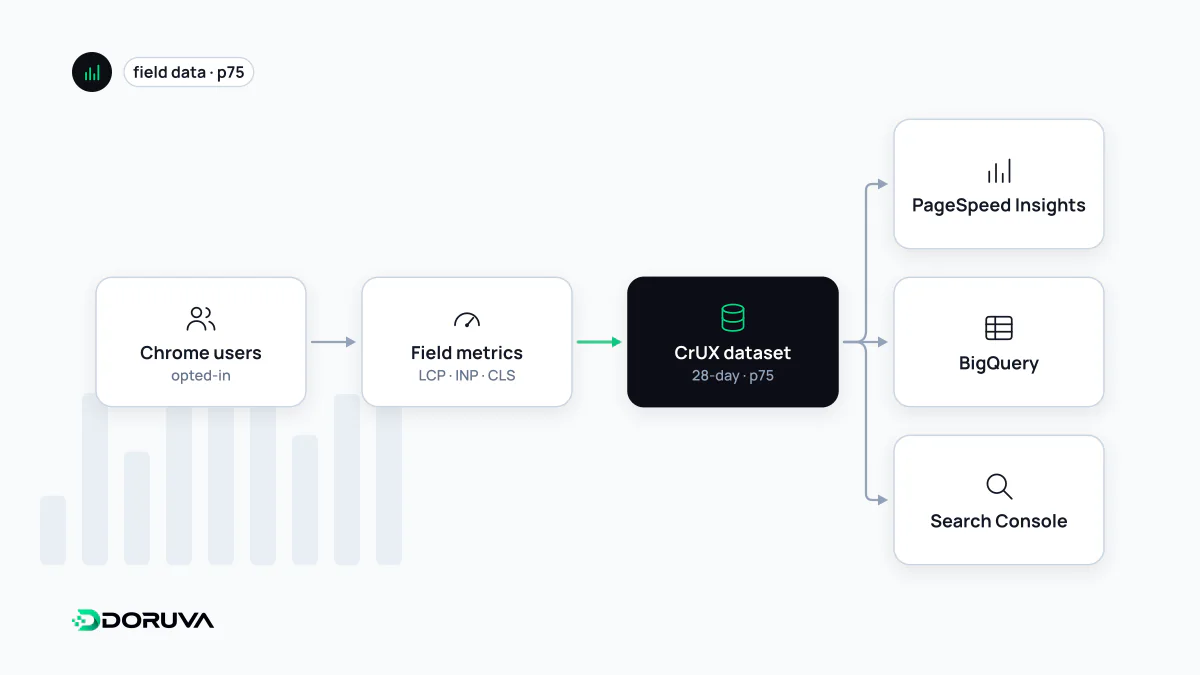
CrUX (Chrome User Experience Report) is Google's public dataset of real-user performance measurements collected anonymously from eligible Chrome users. It reports metrics, above all the Core Web Vitals, at page (URL) and site (origin) level over 28-day windows. PageSpeed Insights and Search Console are built on it, and the data can be queried directly through the CrUX API, the History API and BigQuery.
Also known as: Chrome User Experience Report, Chrome UX Report, CrUX API, CrUX BigQuery, CrUX History API
Whose experiences are in it
CrUX does not cover every Chrome user. A user's measurements are only included if they have opted in to sending usage statistics, sync their browsing history and have not set a sync passphrase. Supported platforms are desktop Chrome on Windows, macOS, ChromeOS and Linux, and Chrome on Android. Chrome on iOS, Android WebView and other Chromium-based browsers such as Microsoft Edge are excluded.
The practical consequence is significant: Safari and iPhone users do not appear in CrUX at all. For a site whose audience is largely on iOS, CrUX shows only part of the picture, and your own real user monitoring is needed to fill the gap.
Which pages and origins qualify
A page or origin has to meet two conditions to be included. It must be publicly discoverable, meaning it returns a 200 status and is not marked noindex. It must also be sufficiently popular, and Google does not disclose the minimum number of visitors. No data for a page does not mean the page is slow; it means there was not a statistically reliable sample.
A few technical details affect interpretation. Query parameters and fragments are stripped from URLs, so variants of the same page are aggregated together. An origin is the combination of scheme and host, which makes https://www.example.com and https://example.com two separate origins. A small amount of randomness is also added to prevent reverse engineering.
Ways to access the data
| Channel | Scope | Updates |
|---|---|---|
| PageSpeed Insights | URL and origin, previous 28 days | Daily |
| Search Console Core Web Vitals report | Groups of similar URLs | Regularly |
| CrUX API | URL and origin, by form factor; rolling 28-day window | Daily, around 04:00 UTC |
| CrUX History API | Weekly 28-day periods going back roughly ten months | Every Monday |
| BigQuery | Origin only, with country tables; calendar months | Monthly, on the second Tuesday of the following month |
| CrUX Vis | Visualises historical data | Follows the History API |
Because BigQuery uses calendar months while the API uses a rolling 28-day window, numbers from the two sources will rarely match exactly.
Querying the CrUX API
The API needs a Google Cloud key enabled for the Chrome UX Report API and is free up to 150 queries per minute per project:
curl -s -X POST   "https://chromeuxreport.googleapis.com/v1/records:queryRecord?key=YOUR_API_KEY"   -H "Content-Type: application/json"   -d '{"origin": "https://example.com", "formFactor": "PHONE",
       "metrics": ["largest_contentful_paint", "interaction_to_next_paint"]}'
For each metric the response contains a histogram with the share of visits in the good, needs-improvement and poor ranges, a percentiles.p75 value, and a collectionPeriod naming the dates covered. If a specific URL lacks data, the API returns 404 and you have to fall back to an origin query. Data runs about two days behind.
Things to keep in mind
- CrUX is the official data source for the Core Web Vitals assessment; Google's view of a page's experience rests on this field data, not on a lab score.
- Because of the 28-day window, the full effect of a fix only shows four weeks later.
- The dataset represents Chrome only, so read it against what you know about your own audience.
- The data is published under a Creative Commons Attribution 4.0 licence, and you can query any public origin, including competitors'.
The complete eligibility rules are in the CrUX methodology documentation.