

What is A and AAAA Records?
Definition
An A record is the DNS record that maps a domain or subdomain to an IPv4 address such as 203.0.113.10; an AAAA record does the same for an IPv6 address. Before a browser can connect to a site, it looks up these records and opens a connection to the address returned. They are the records you change when moving servers, switching hosting or putting a site behind a CDN.
Also known as: A record, AAAA record, address record, quad-A record, IPv6 record
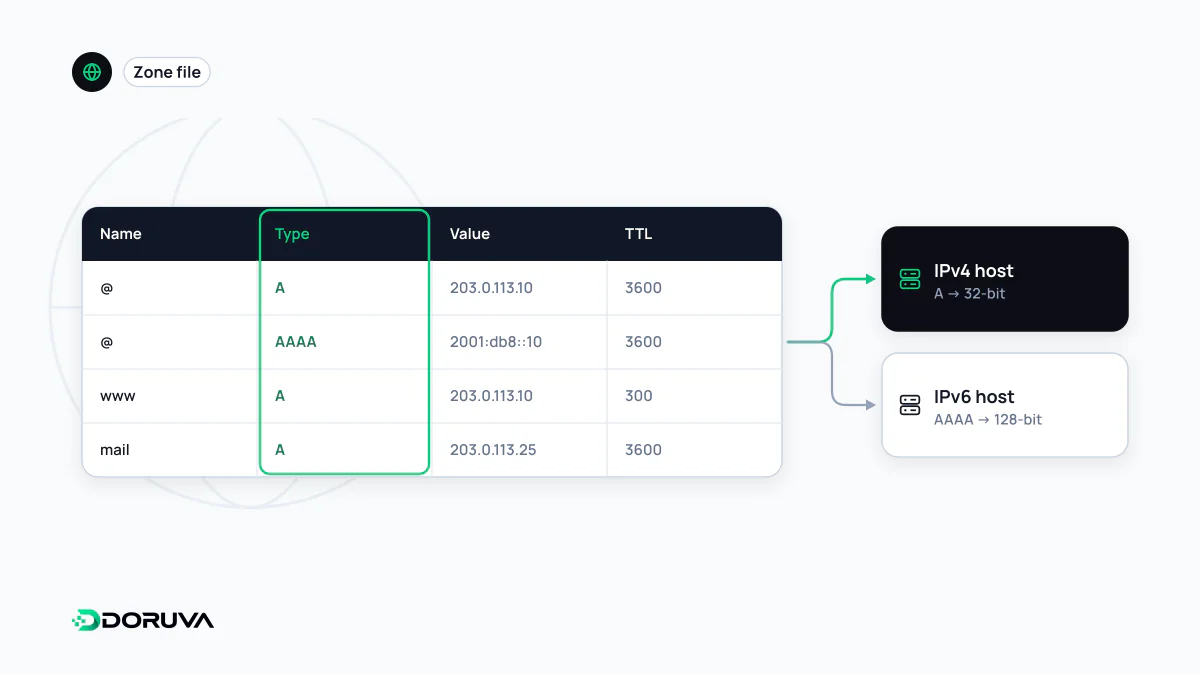
Two records, two address families
In DNS, the records that point a name straight at a machine are A for 32-bit IPv4 addresses and AAAA (“quad-A”) for 128-bit IPv6 addresses; the name reflects that an IPv6 address is four times as long. In a zone file:
example.com.       3600  IN  A     203.0.113.10
example.com.       3600  IN  AAAA  2001:db8:1::10
www.example.com.   3600  IN  A     203.0.113.10
Both can exist on the same name. Clients on IPv6-capable networks usually try the AAAA address first and fall back quickly to IPv4 if it fails, a technique known as Happy Eyeballs. Note that the bare domain and www are different names, each needing its own records.
The forgotten AAAA record
A classic migration bug: the A record is updated to the new server, but an old AAAA record still points at the previous host. Visitors on IPv4 see the new site; someone on an IPv6 mobile network lands on the old one. Because it works for most of the team, the issue can go unnoticed for days. Before any move, list every record on the name. If the new server has no IPv6 address, deleting the stale AAAA record is better than leaving a wrong one in place.
Multiple A records are not load balancing
You can publish several A records for one name, and resolvers will rotate the order, spreading clients roughly across them. But DNS has no idea whether a server is healthy. If one address goes down, some clients keep failing until their cached answer expires. Health-aware distribution needs a real load balancer or a DNS provider feature that withdraws unhealthy addresses.
A safe order for server moves
- At least one TTL period before the move, lower the TTL on the A and AAAA records to around 300 seconds.
- Build the new server and test it by forcing the hostname to its IP, for example with your
hostsfile orcurl --resolve. - Switch the records. Keep the old server running for a few days, since some clients will hold the old answer for a while.
- Once logs confirm traffic has moved, raise the TTL again.
What an A record shows behind a CDN
When a site sits behind a CDN or proxy service, lookups return the provider's edge addresses rather than your server's. The origin IP is then known only inside the provider's configuration. If that origin address leaks some other way, for instance through an unproxied legacy subdomain whose A record still points at it, traffic can bypass the protection the proxy provides. On proxied setups it is worth auditing every record that points directly at the origin.