

What is Shopify?
Definition
Shopify is a cloud-based (SaaS) ecommerce platform for building and running online stores, bundling hosting, checkout, product and order management into one service. A store's look comes from themes written in the Liquid template language, and extra functionality comes from apps. Shopify manages the servers, security updates and infrastructure, while merchants work through the admin rather than maintaining code on their own servers.
Also known as: Shopify store, Shopify Plus, Shopify platform, Liquid
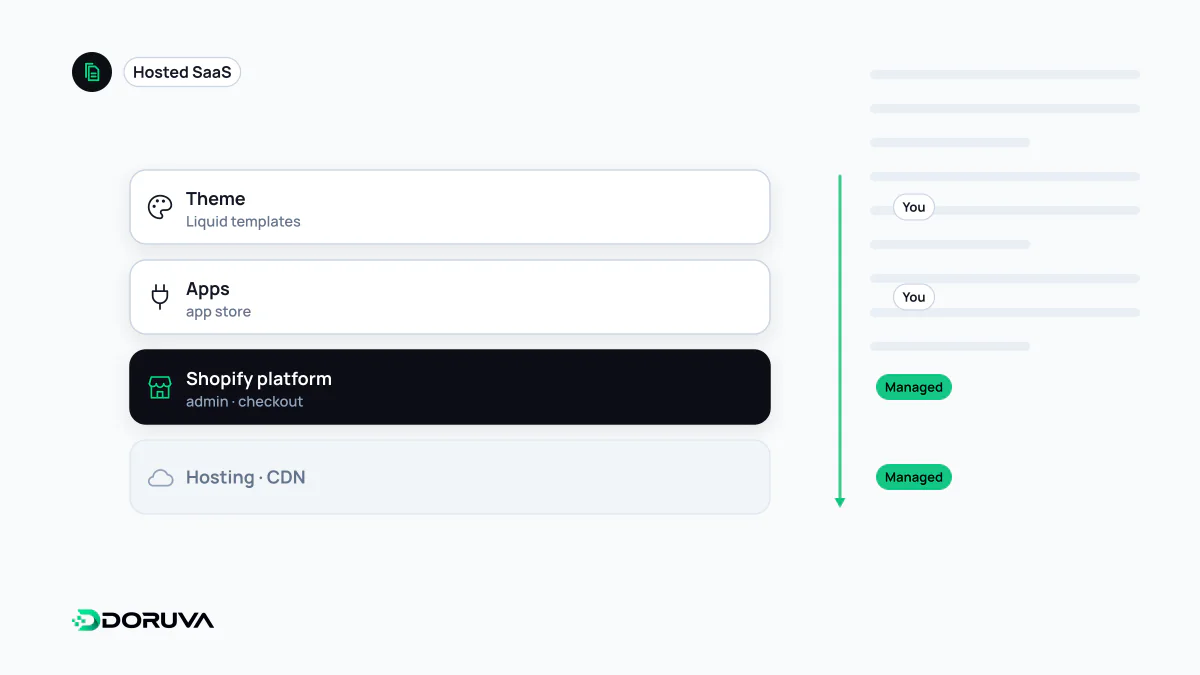
What “hosted platform” means in practice
You do not install Shopify on a server. The store runs on Shopify's infrastructure, which takes care of capacity, SSL certificates, software updates and security patches. Merchants manage products, orders, shipping and tax settings in the admin. That is the classic SaaS bargain: much less maintenance, in exchange for working within the limits the platform sets.
Compared with a self-hosted WooCommerce store, the difference is between “I can do anything, and everything is my problem” and “infrastructure is not my problem, and I customize as far as the platform allows”.
Themes and Liquid
A store's presentation comes from its theme. According to Shopify's theme architecture docs, the only file a theme strictly needs is layout/theme.liquid; JSON templates define page types, and sections and blocks are the customizable modules inside them that merchants add and reorder in the theme editor. Dynamic output is written in Liquid:
{% for product in collection.products %}
  {% render 'product-card', product: product %}
{% endfor %}
The loop calls the theme's product-card snippet for every product in the collection; the snippet prints the title, price and image from Liquid objects. Splitting repeated markup into snippets keeps a theme maintainable.
Apps and checkout
Anything beyond the core feature set, such as advanced filtering, loyalty programs or ERP integration, arrives as an app. Apps are installed from the Shopify App Store or built privately for a single business; they work with Shopify's APIs and store data, and place their interfaces inside Shopify through extensions.
Checkout customization has moved to the same model. The old checkout.liquid approach is no longer supported for the information, shipping and payment steps. Its replacements are checkout UI extensions and Shopify Functions, which run server-side logic for discounts, delivery options or validation. Available payment providers vary by country, so a store selling in a particular market should confirm local payment options at the start.
Headless Shopify
Teams that want a fully custom front end can use Shopify purely as the commerce engine. In this headless commerce setup, products, carts and customer data are accessed through the GraphQL-based Storefront API. Shopify offers Hydrogen, a React-based framework, together with Oxygen hosting, but any framework and host can be used. Going headless buys design freedom and gives up the theme editor's convenience and the ready-made theme ecosystem.
What to check before committing
- SEO basics: Shopify generates canonical tags,
sitemap.xmlandrobots.txtautomatically, and robots rules can be customized through a theme template if needed. URLs follow the platform's patterns (for example/collections/…), so migrating from another system means redirecting old URLs to the new patterns one by one. Duplicate content across collection and filter pages is its own topic within ecommerce SEO. - App overhead: each app adds its own cost and sometimes JavaScript on every page. Code snippets left in the theme by uninstalled apps need cleaning up separately.
- Data portability: know from the start how products, customers and orders can be exported, in case you ever change platforms.