

What is Render-Blocking Resources?
Definition
Render-blocking resources are files the browser must download and process before it can paint a page for the first time. The usual culprits are external stylesheets in the document head and synchronous scripts without async or defer. When these files are slow, visitors stare at a blank screen while First Contentful Paint (FCP) and Largest Contentful Paint (LCP) are pushed back.
Also known as: render-blocking requests, render blocking CSS, render blocking JavaScript, blocking resources
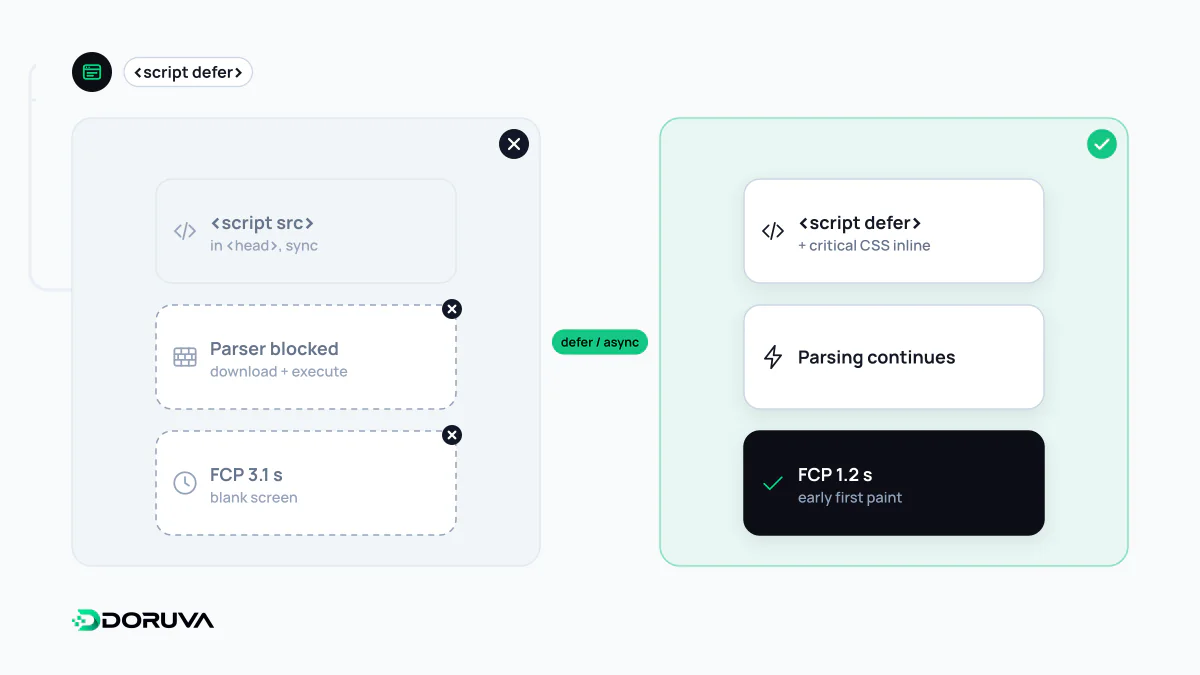
Why the browser holds the first paint
A browser parses HTML from top to bottom. When it meets an external stylesheet, it will not paint anything until that file has arrived and the CSSOM is built, because showing unstyled content and then rearranging it a moment later (the "flash of unstyled content") is a worse experience. A synchronous <script> is stricter still: since the script might rewrite the DOM, the parser stops until it has been fetched and executed. And because a script can query styles, it also waits for any stylesheet that precedes it.
This whole sequence, from receiving HTML to drawing the first pixels, is the critical rendering path. Every blocking file adds a network round trip and some processing time to it. Two small files that go unnoticed on office fibre can add seconds to First Contentful Paint on a congested mobile connection.
What blocks and what does not
| Resource | Effect on first paint |
|---|---|
<link rel="stylesheet"> with no media condition, or a matching one | Blocks rendering |
Stylesheet with a non-matching media condition such as media="print" | Downloaded, but does not hold the paint |
@import inside CSS | Creates a blocking chain; the second file is found only after the first is parsed |
<script src> without async or defer | Blocks parsing and rendering |
<script defer> and type="module" | Runs in order after parsing; does not block |
<script async> | Downloads in parallel, runs as soon as it arrives, in no guaranteed order |
| Images and fonts | Do not block first paint, although fonts can delay when text becomes visible |
Before and after: cleaning up a head
A pattern that turns up on many marketing sites:
<head>
  <link rel="stylesheet" href="/css/everything.css">
  <script src="/js/carousel.js"></script>
  <script src="/js/analytics.js"></script>
</head>
A healthier version of the same page:
<head>
  <style>/* only the rules the first screen needs */</style>
  <link rel="stylesheet" href="/css/article.css">
  <link rel="stylesheet" href="/css/print.css" media="print">
  <script src="/js/carousel.js" defer></script>
  <script src="/js/analytics.js" async></script>
</head>
Three decisions were made. The site-wide stylesheet was split into a smaller template-specific file, and the above-the-fold rules were inlined as critical CSS. Print styles were moved out of the critical path with a media condition. The carousel script depends on the DOM and on execution order, so it gets defer; the independent analytics script gets async. A resource that is needed early but discovered late, such as a font referenced from CSS, can be announced to the browser with preload.
Finding the real offenders
The "Render-blocking requests" insight in Lighthouse and PageSpeed Insights lists the requests that held up the first paint along with an estimated saving. Chrome's documentation for that insight recommends deferring what first paint does not need, inlining small critical resources and trimming CSS and scripts to what the first paint requires. The SEO Checker also flags render-blocking resources as a separate lab finding. When prioritising, ask three questions: is the file really needed for the first screen, how large is it, and does it come from another host that requires an extra connection?
Some blocking is deliberate
Loading the main stylesheet fully asynchronously makes the page appear as raw HTML and then snap into place, which looks broken and can add layout shift. Inlining too much CSS bloats every HTML response and stops those rules from being cached. Some A/B testing tools intentionally hide the page until variants are applied; that is a trade-off to decide on openly, not an accident to discover later. The aim is not zero blocking resources but a first screen that waits only for what it genuinely needs.