

What is Prefetch?
Definition
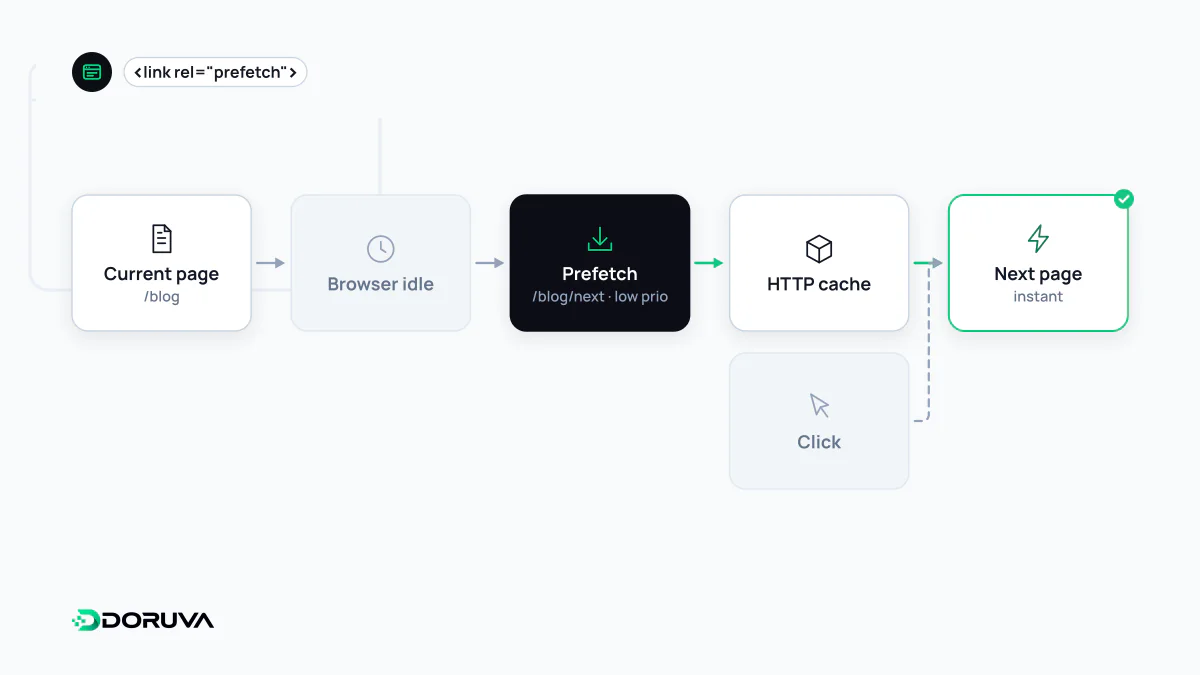
Prefetch is a resource hint, written as a link element with rel="prefetch", that suggests the browser download a resource the user is likely to need on the next navigation, at low priority, and keep it in the HTTP cache. It speeds up the following page rather than the current one. Browsers treat it as optional and may skip it depending on network and device conditions.
Also known as: rel=prefetch, link prefetching, resource prefetching
A bet on the next navigation
Preload serves the page you're on; prefetch is a bet on where the user goes next. When the next step is predictable, its files can be fetched while the browser is idle and served from cache once the user moves on. A shopping cart is the textbook case, since most people who reach it continue to checkout:
<!-- on the cart page: the checkout bundle -->
<link rel="prefetch" href="/assets/checkout.js">
Prefetches rank below even low-priority fetch() calls, so they shouldn't compete with the current page. The response lands in the on-disk HTTP cache, which means a resource sent with Cache-Control: no-store gains nothing from being prefetched; see Cache-Control. Browsers mark these requests with a Sec-Purpose: prefetch header, which lets servers tell speculative fetches apart from real visits.
Limits worth knowing
- Cache partitioning. Browsers now key their HTTP cache by top-level site, so prefetching a file for another site, or a document on a different site, is largely useless. Prefetch shines within a single site.
- Support. MDN lists
rel="prefetch"as having limited availability; Safari does not support it. Unsupported browsers ignore the hint without side effects. - Not the same as dns-prefetch.
rel="dns-prefetch"only resolves a hostname and fetches nothing. To open a full connection ahead of time, use preconnect.
Speculation Rules for whole pages
For prefetching entire documents, MDN recommends the Speculation Rules API where it is available. Rules are declared as JSON and describe which links to fetch and how eagerly:
<script type="speculationrules">
{
  "prefetch": [{
    "where": { "href_matches": "/products/*" },
    "eagerness": "moderate"
  }]
}
</script>
With moderate, a desktop user hovering over a matching link for a short moment triggers the fetch. The same API also offers prerender, which fully renders the page in a hidden tab for a near-instant switch. Speculation Rules currently work in Chromium-based browsers such as Chrome and Edge; other browsers ignore the block.
When it costs more than it saves
Every prefetch is a download the visitor may never use. On a metered mobile connection, speculatively pulling a dozen pages wastes data and adds server load for no benefit. Prefetching personalised or stateful URLs can also have side effects, from inflated server-side pageview counts to GET requests that change state. If you rely on log file analysis, filter or tag speculative requests so they don't distort traffic numbers. Keep prefetching to a few high-probability transitions, and remember that for repeat visits, a well-configured browser cache does most of the heavy lifting.