

What is PNG?
Definition
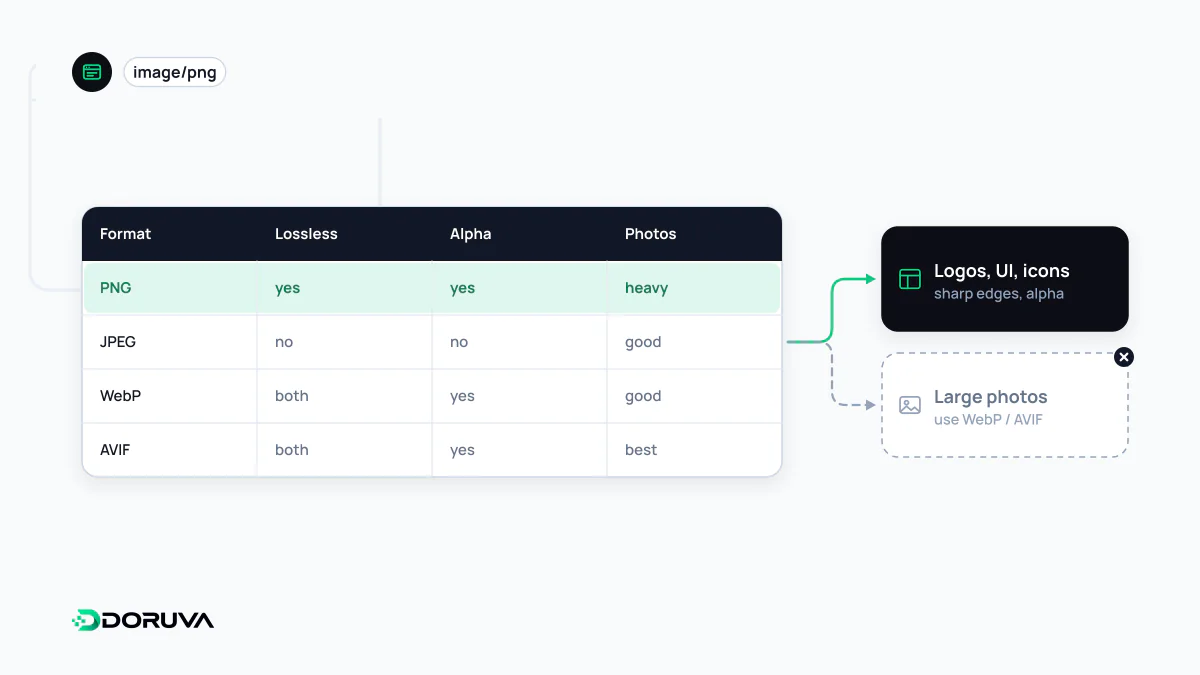
PNG (Portable Network Graphics) is a raster image format that compresses images losslessly, so no pixel data is discarded. It supports a full alpha channel for transparency, palette-based (indexed) colour and up to 16 bits per channel. PNG suits screenshots, interface graphics and images with few colours and hard edges; for photographs it produces much larger files than JPEG, WebP or AVIF.
Also known as: Portable Network Graphics, .png, image/png, APNG
A format born from a patent dispute
PNG was designed in the mid-1990s as a freely usable replacement for GIF, after patent claims over GIF's LZW compression made developers wary. It dropped GIF's 256-colour ceiling and its all-or-nothing transparency in favour of millions of colours and a per-pixel alpha channel.
The format is still evolving. On 24 June 2025 the W3C published the Third Edition of PNG as a Recommendation. It formally brings animated PNG (APNG), which browsers had supported for years, into the standard, adds HDR support through the PQ and HLG transfer functions plus the cICP chunk that labels the colour space, and defines a chunk for carrying EXIF metadata.
How lossless compression works here
PNG compresses in two passes. First, each row is run through a filter that stores the difference between a pixel and its neighbour to the left, above, or a combination of both (the None, Sub, Up, Average and Paeth filters). In flat areas those differences become long runs of near-zero values. The filtered data is then compressed with DEFLATE, the same algorithm used in ZIP files.
The practical consequence is easy to remember: large flat areas, hard edges and repeating patterns compress extremely well, while the natural noise and smooth gradients of photographs barely compress at all. A photo saved as PNG can easily be several times the size of a lossy version.
Colour type decides the file size
| Colour type | Per pixel | Good for |
|---|---|---|
| Indexed (palette) | 1–8 bits, up to 256 colours | Logos, flat graphics, simple icons |
| Greyscale | 1–16 bits | Black-and-white line art, masks |
| Truecolour | 24 or 48 bits | Screenshots that need no transparency |
| Truecolour with alpha | 32 or 64 bits | UI artwork with soft shadows or translucent edges |
Design tools tend to export everything as 32-bit truecolour with alpha. Converting an image that only uses a few colours to an indexed PNG can cut its size dramatically. Tools such as pngquant reduce the colour count to fit a palette, which does discard information; tools such as oxipng re-optimise the compression without touching a single pixel and are fully lossless.
When PNG is the heavy choice
- Photographs: JPEG, WebP or AVIF produce far smaller files. If a photo needs transparency, WebP and AVIF can pair an alpha channel with lossy compression.
- Logos and icons: when the artwork was drawn as vectors, SVG is smaller and sharp at every size.
- Screenshots: PNG does well here, but lossless WebP usually stores the same image in fewer bytes.
PNG still earns its place as the lossless format every tool opens without complaint: intermediate files, master copies that will be edited again, favicons and app icons. Stripping unnecessary metadata on export and scaling the image down to the size it is actually displayed at often saves more than the choice of format does; the wider workflow is covered under image optimization.