

What is JPEG?
Definition
JPEG, named after the Joint Photographic Experts Group that created the standard, is a lossy image compression format designed for photographs. It splits an image into 8×8 pixel blocks, converts them into frequency components with the discrete cosine transform (DCT) and discards detail the eye is unlikely to miss. It opens in every browser and device, but it has no transparency or animation and shows blocky, ringing artefacts at low quality.
Also known as: JPG, .jpg, image/jpeg, progressive JPEG
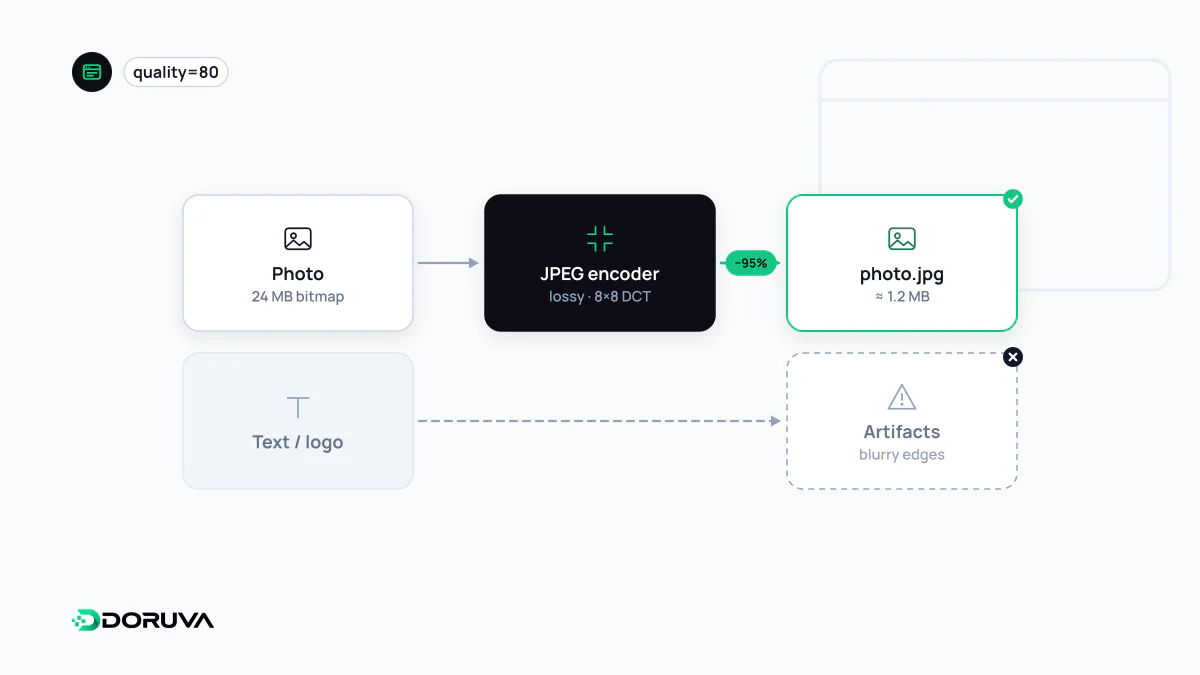
What the encoder throws away
Standardised in 1992, JPEG exploits two quirks of human vision: we are more sensitive to changes in brightness than in colour, and we notice broad tones far more than fine, high-frequency detail. A typical encoder works in five stages:
- Colour conversion: RGB pixels are split into a brightness channel (Y) and two colour-difference channels (Cb, Cr).
- Chroma subsampling: the colour channels are usually stored at half resolution in both directions (4:2:0). In photos this is practically invisible; on sharp coloured edges such as red text it causes smearing.
- DCT: each 8×8 block is transformed from pixel values into frequency coefficients.
- Quantisation: high-frequency coefficients are rounded coarsely or zeroed. This is where information is lost, and the “quality” slider is really a control over these quantisation tables.
- Entropy coding: what remains is packed losslessly with Huffman coding.
Baseline versus progressive
A baseline JPEG is drawn top to bottom, so on a slow connection the upper part is visible while the rest of the box stays empty. A progressive JPEG splits the same data into several scans: a rough version of the whole picture arrives first and later scans add detail. For large photos, progressive encoding is often slightly smaller as well. Since some newer formats cannot render progressively at all, this remains a genuine advantage of JPEG.
Quality settings and generation loss
The 0–100 quality number is not a standard scale; 80 in one encoder can produce a different file size and look from 80 in another, so pick a value by comparing results on your own images. The bigger trap is generation loss. Every time a JPEG is opened and saved as JPEG again, quantisation is applied once more and a little more damage accumulates. Keep master copies in a lossless format and export web versions from them each time.
JPEG is also simply the wrong format for some content: screenshots, graphics containing text, and logos. Hard edges pick up halos and blocks, so PNG or lossless WebP serve those images better.
EXIF metadata and privacy
Cameras and phones write EXIF metadata into JPEG files: device model, capture time, an orientation tag and often GPS coordinates. Upload a photo taken at someone's home without cleaning it and you have published its location too, which matters for personal data protection. Stripping metadata from web images protects privacy and saves a few kilobytes. Two cautions: rotate the pixels physically before removing the orientation tag, and keep the ICC colour profile for images shot in a wide colour space.
Where JPEG fits today
WebP and AVIF usually produce smaller files at the same quality, so on modern sites JPEG often plays the fallback role. It remains the safest choice for email clients, social preview images and any system that processes images outside a browser. Whatever the format, the larger saving comes from serving each image at the size it is displayed, which is what responsive images are for. Modern encoders such as mozjpeg and Google's jpegli can also produce smaller files than older encoders while staying fully compatible with standard JPEG decoders.