

What is AVIF?
Definition
AVIF (AV1 Image File Format) is an image format that applies the intra-frame compression of the AV1 video codec, developed by the Alliance for Open Media, inside a HEIF container. It supports lossy and lossless compression, transparency, animation, HDR and wide colour gamut. For photographs it often produces smaller files than JPEG and WebP at similar visual quality, but encoding is slow and it does not support progressive rendering.
Also known as: AV1 Image File Format, .avif, image/avif
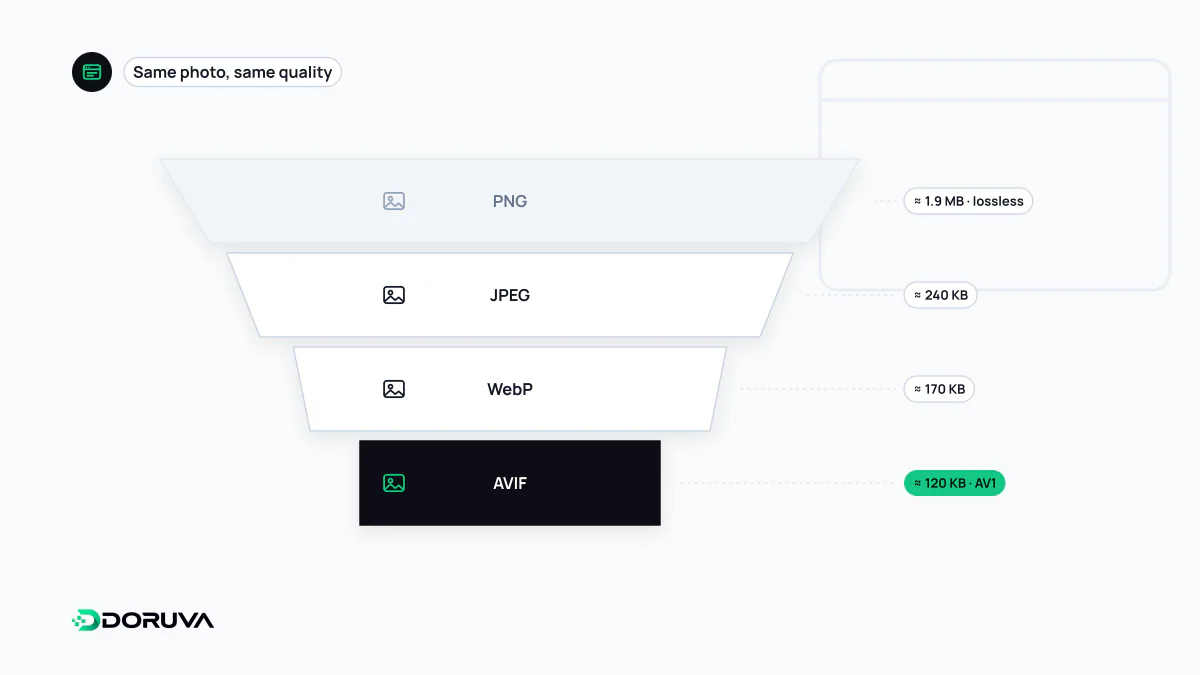
An image format built from a video codec
AVIF takes the techniques the royalty-free AV1 video codec uses to compress a single frame and applies them to still images, storing the result in a HEIF container based on the ISO base media file format. Apple's HEIC photos use the same container but rely on the HEVC codec; AVIF builds on AV1 instead, without the licensing baggage.
Its feature set goes well beyond JPEG: 8, 10 or 12 bits per channel, HDR and wide colour gamut, an alpha channel, a lossless mode and multi-frame (animated) images. AV1's block prediction and filtering tools also mean that at low bitrates AVIF degrades into softness rather than the blocky artefacts typical of JPEG.
Browser support: broad, but recent
According to MDN's compatibility data, AVIF support arrived in Chrome 85, Firefox 93, Safari 16.1 and Edge 121, with animated AVIF reaching Firefox in version 113. Every current browser can decode it, but since support is several years younger than WebP's, devices that have not been updated can still fall through the gaps. That is why AVIF is usually served with a fallback, either through the picture element or server-side content negotiation; the WebP entry shows that pattern.
Where it pays off, and where it needs care
- Photographs gain the most. Product shots, hero images and large backgrounds can shrink noticeably at the same perceived quality, which can help the LCP element paint sooner on mobile networks.
- Encoding is expensive. Producing AVIF takes many times the CPU time of JPEG or WebP. Generate files at upload or build time, or let a CDN image service handle it, rather than converting on every request.
- No progressive rendering. A progressive JPEG starts with a rough preview and sharpens as it loads; an AVIF shows nothing until it has fully arrived. On a slow connection a very large AVIF can feel slower than a bigger progressive JPEG.
- Fine texture can smear. As quality drops, AVIF smooths detail away instead of blocking it. Fabric, hair and skin can start to look waxy, so pick the quality setting by eye.
- Small images gain little. For icons and tiny thumbnails the container overhead weighs more, and vector artwork belongs in SVG anyway.
Choosing a quality setting
Quality scales are not comparable between encoders: AVIF at 50 is not equivalent to JPEG at 50. The practical approach is to encode a handful of representative images at several settings, compare them side by side and settle on the lowest setting that still looks right. With the popular sharp library for Node.js:
import sharp from "sharp";

await sharp("product.jpg")
  .resize({ width: 1200 })
  .avif({ quality: 50, effort: 4 })
  .toFile("product-1200.avif");
Raising effort squeezes out a few more bytes at the cost of considerably longer encoding. Switching format does not remove the need to serve the right dimensions; picking a suitable width for each screen is the job of responsive images. Compared with JPEG, AVIF is the better compressor but the slower and less universal one, so it fits best as the first choice inside a fallback chain rather than as the only file you publish.