

What is GPTBot?
Definition
GPTBot is OpenAI's web crawler for collecting content that may be used to train its generative AI foundation models. Disallowing GPTBot in robots.txt indicates that a site's content should not be used for that training. Visibility in ChatGPT search is governed by a separate user agent, OAI-SearchBot, and the two are controlled independently.
Also known as: OpenAI GPTBot, OpenAI crawler, GPTBot user agent
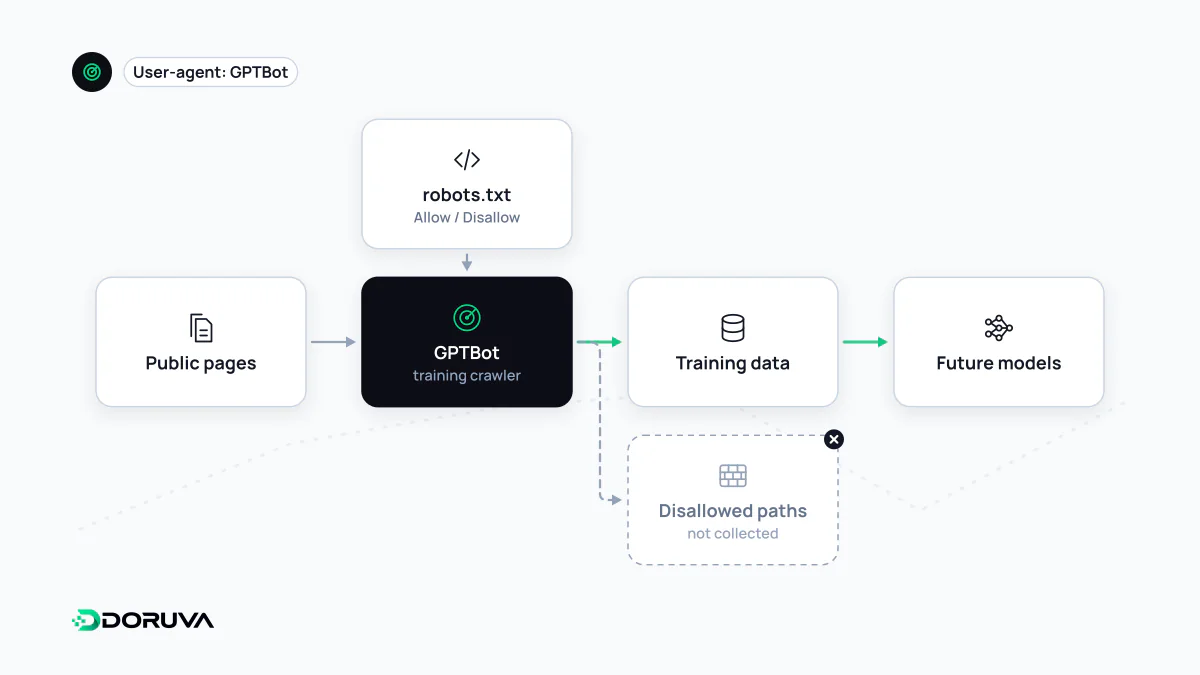
Where it fits among OpenAI's bots
OpenAI reaches the web through several bots and lets you manage each one separately in robots.txt. According to OpenAI's bot documentation, the roles are:
| User agent | Purpose |
|---|---|
GPTBot | Collecting content to make generative AI foundation models more useful and safe (training) |
OAI-SearchBot | Surfacing websites in ChatGPT's search features |
ChatGPT-User | Certain user-initiated actions in ChatGPT and Custom GPTs |
OAI-AdsBot | Validating the safety of pages submitted as ads on ChatGPT |
GPTBot is the training side of the family. Whether a page can appear as a source in ChatGPT search depends on what you allow for OAI-SearchBot, not GPTBot.
robots.txt examples
Opt the whole site out of training:
User-agent: GPTBot
Disallow: /
Keep only certain directories out:
User-agent: GPTBot
Disallow: /members/
Disallow: /archive/
Opt out of training but stay available to ChatGPT search:
User-agent: GPTBot
Disallow: /

User-agent: OAI-SearchBot
Allow: /
OpenAI notes that it can take about 24 hours for its systems to reflect a robots.txt change. A rule applies to crawling from that point forward.
Recognizing the real GPTBot
The user-agent string OpenAI documents looks like this:
Mozilla/5.0 AppleWebKit/537.36 (KHTML, like Gecko); compatible; GPTBot/1.4; +https://openai.com/gptbotThe version number can change, so match on the GPTBot token rather than the full string when filtering logs. Because user agents can be spoofed, compare the request's IP address against OpenAI's published list at https://openai.com/gptbot.json when it matters.
Checking your current setup
- Open
yourdomain.com/robots.txtand look for a group addressed toGPTBot. - If there is none, GPTBot follows the
User-agent: *group, so aDisallow: /there blocks it too. - Some CDN and firewall services can block AI bots through their own settings. Requests may be stopped at that layer even when robots.txt allows them, so review those settings as well.
- Search your server logs for
GPTBotto see whether it actually visits.
Common mix-ups
- "Blocking GPTBot removes me from ChatGPT." It does not. ChatGPT search visibility is about OAI-SearchBot, and when a user asks about a specific page, ChatGPT-User may fetch it.
- "Blocking GPTBot affects my Google rankings." GPTBot is OpenAI's crawler and has nothing to do with Googlebot or Google Search.
- "robots.txt physically stops GPTBot." robots.txt is an instruction, not a barrier. OpenAI documents that GPTBot follows it, but if you need real access restrictions, use server-side measures such as authentication.
For the broader picture of training versus search bots, see AI crawler.