

What is Frontend?
Definition
The frontend is the part of a website or application that users see and interact with in the browser. HTML defines its structure, CSS its appearance and JavaScript its behaviour. Frontend development covers turning designs into code, adapting layouts to different screens, accessibility, loading performance, and presenting data from the backend correctly in every state.
Also known as: front-end, front end, client side, client-side development
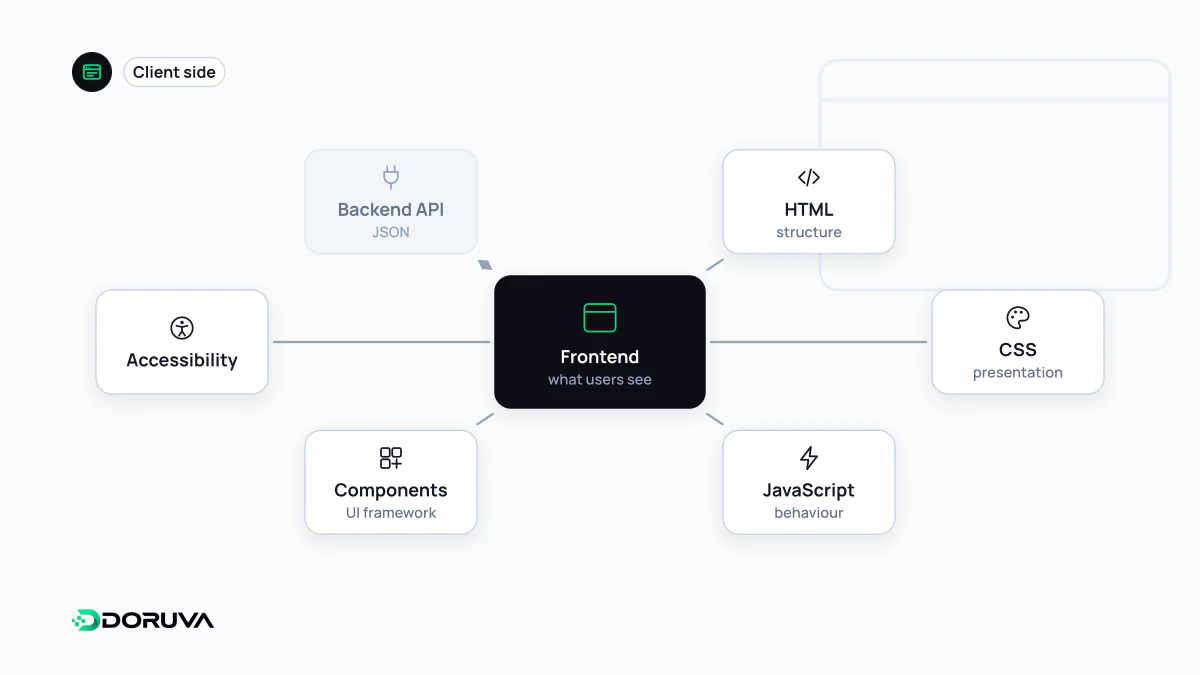
Three languages the browser understands
However sophisticated the tooling, a browser ultimately reads three things. HTML provides structure and meaning: this is a heading, that is a form field, this is a link. CSS controls presentation, from layout and colour to typography and how the page rearranges itself on a narrow screen. JavaScript adds behaviour, such as opening a menu, checking a form before it is sent, or loading new data without a full page reload.
React, Vue, Svelte, TypeScript and the build tools around them are layers on top of that trio. Whatever you write in, what reaches the user is still HTML, CSS and JavaScript.
What frontend work actually involves
- Implementing designs — turning mock-ups into reusable, component-based code rather than one-off pages.
- Every screen size — keeping content usable on a phone, a tablet and an ultrawide monitor.
- Accessibility — keyboard navigation, screen-reader support and sufficient contrast. Web accessibility starts with correct markup; it is hard to bolt on afterwards.
- Performance — image weight, the amount of JavaScript shipped and font loading all show up directly in Core Web Vitals.
- State and data — deciding what the screen shows while data is loading, when a request fails and when a list is empty.
Where does rendering happen?
"The frontend runs in the browser" is no longer the whole story. Where a page's HTML gets produced affects both speed and what search engines see on first fetch:
| Approach | Where HTML is produced | Typical fit |
|---|---|---|
| CSR | In the browser, after JavaScript runs | Logged-in dashboards and app-like tools |
| SSR | On the server, per request | Personalised or frequently changing pages |
| SSG | Once, at build time | Blogs, documentation, marketing pages |
Frameworks such as Next.js let part of one component tree run on the server and part in the browser. The line between frontend and backend is therefore drawn by where code executes, not by which folder it sits in.
Frontend development is not design
People often conflate frontend development with UI design. A designer decides how an interface should look and behave; a frontend developer makes that decision work in every browser, at every viewport width and on a slow 3G connection. The two roles work best side by side, because a small design choice, say images of unpredictable height on every card, can turn into real complexity or layout shift in code.
A small example: rendering data safely
Listing data fetched from an API is everyday frontend work, and there is a right and a wrong way to do it:
const res = await fetch("/api/comments");
const comments = await res.json();

// Risky: user text is parsed as HTML
list.innerHTML = comments.map((c) => "<li>" + c.body + "</li>").join("");

// Safe: text is always inserted as text
for (const c of comments) {
  const li = document.createElement("li");
  li.textContent = c.body;
  list.append(li);
}
In the first version, any markup a user puts into a comment becomes part of the page, which is how cross-site scripting bugs are born. Component libraries escape text by default, just like the second version; the danger lies in the escape hatches that deliberately switch that protection off.