

What is Docker Compose?
Definition
Docker Compose is a Docker tool for defining an application made of several containers in a single YAML file and starting, stopping and managing them with one command. The file describes each service, such as a web app, a database and a background worker, together with its image, environment variables, networks and persistent volumes. It is widely used for local development and single-host deployments.
Also known as: compose.yaml, docker-compose.yml, Compose file, Compose v2
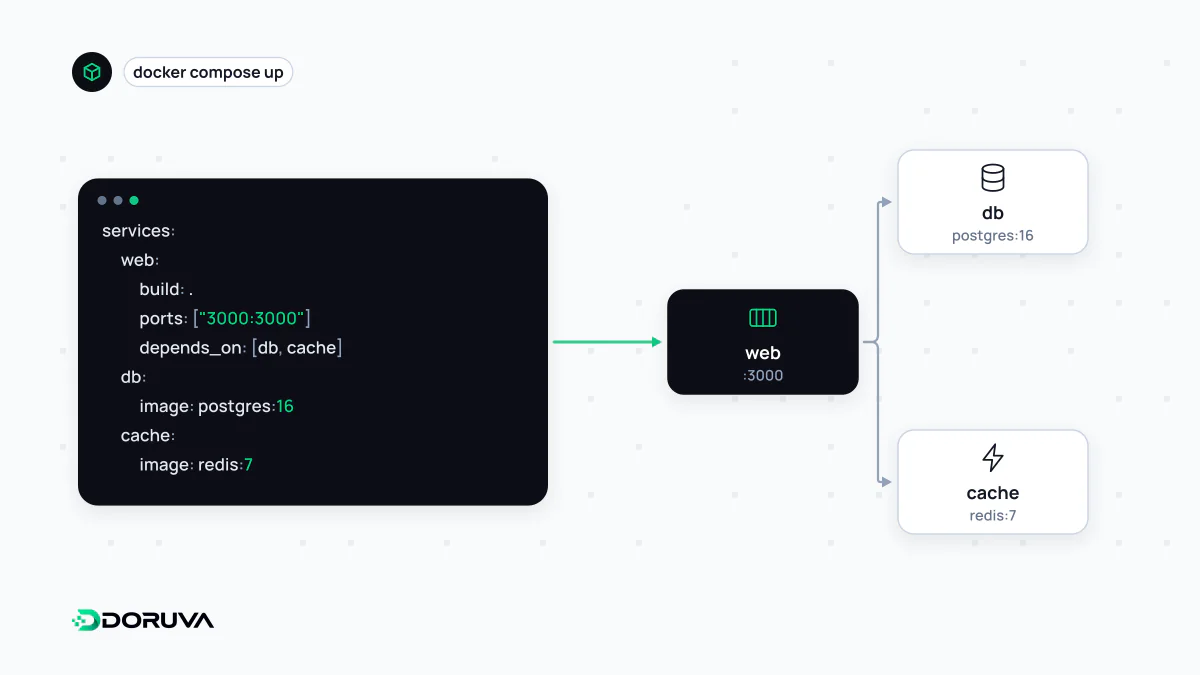
When one container isn't the whole app
Docker packages a single application as a container. A real web application rarely consists of one piece, though: there is an app server, a database, perhaps a cache and a worker that sends emails. Starting each with its own docker run command, with the right network and flags, is error-prone and impossible to share reliably across a team. Compose writes that setup down in one file. Because the file lives in the repository, everyone brings up the identical environment with the same command.
An annotated compose.yaml
services:
  web:
    build: .
    ports:
      - "3000:3000"
    env_file: .env
    depends_on:
      db:
        condition: service_healthy

  worker:
    build: .
    command: node worker.js
    env_file: .env
    depends_on:
      db:
        condition: service_healthy

  db:
    image: postgres:17
    env_file: .env.db
    volumes:
      - db-data:/var/lib/postgresql/data
    healthcheck:
      test: ["CMD-SHELL", "pg_isready -U app"]
      interval: 5s
      retries: 5

volumes:
  db-data:
There are three services. web and worker are built from the same Dockerfile but run different commands. db uses the official PostgreSQL image and keeps its data in the named volume db-data, so removing the container does not lose it. The healthcheck, combined with condition: service_healthy, stops the app from starting before the database accepts connections. Credentials stay out of the file and come from .env files that are excluded from version control.
Services find each other by name
Compose creates a network for each project and resolves service names on it like hostnames. The app's database URL therefore points at the service name, as in postgres://app:...@db:5432/app, not at localhost. That trips up a lot of newcomers: inside a container, localhost means the container itself.
Only services with a ports entry are reachable from the host. In the example the database port is never published, so only services on the same network can talk to it, which is a sensible default.
Commands you'll use every day
docker compose up -d— build if needed and start everything in the background.docker compose psanddocker compose logs -f web— status and log tailing.docker compose exec db psql -U app— run a command inside a running container.docker compose down— remove containers and the network, leaving volumes alone.docker compose down -v— also delete volumes, database included. Use with care.
The hyphenated docker-compose command in older tutorials belongs to the original Python implementation (v1). Current Compose ships as a Docker CLI plugin and is invoked as docker compose. The preferred file name is compose.yaml, while docker-compose.yml is still read for backwards compatibility. The top-level version: key is obsolete and only triggers a warning.
Where Compose stops
Compose manages containers on one machine. It is a great fit for development environments, integration tests in CI and a small staging environment, and plenty of modest production apps run happily on a single server with it. Once you need to spread load across several hosts, reschedule containers when a machine dies or roll out versions without downtime, an orchestrator such as Kubernetes enters the conversation.