

What is API Key?
Definition
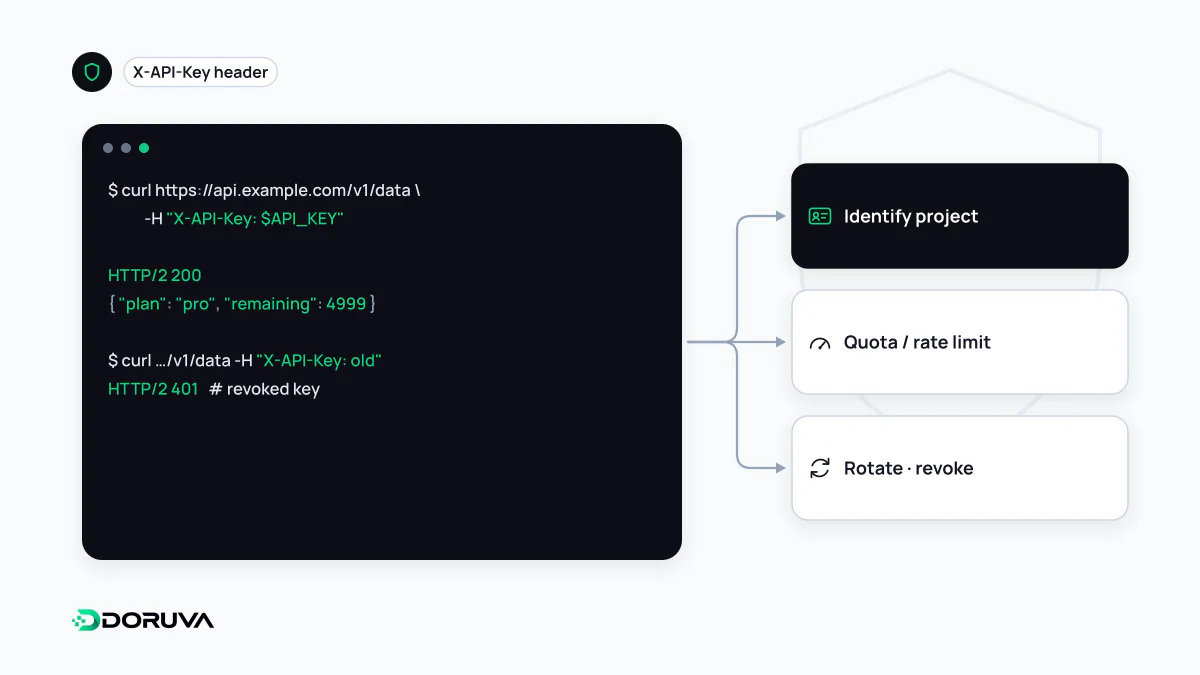
An API key is a long random string that an application sends with its requests so an API can identify the calling project or account. The provider uses it to attribute usage, enforce quotas and decide which operations are allowed. A key usually represents an application rather than a person and often never expires on its own, so a leaked key is a serious risk: keep it secret, restrict it and rotate it regularly.
Also known as: API secret, secret key, publishable key, developer key
Identification, not identity
An API key shows that a request comes from a registered application. It says nothing about which person is using that application. Google Cloud's documentation puts it plainly: API keys identify projects, not users. A key is also a bearer secret, so whoever holds it can use it with all of its owner's permissions. That is why an API key on its own is not a user authentication mechanism.
When an app needs time-limited, scoped access to a user's data, the right tool is an access token obtained through OAuth. API keys work well where “which application is this?” is the only question: server-to-server integrations, quota and billing attribution, and access to public data.
Sending the key
# Preferred: in a header
GET /v1/weather?city=Izmir HTTP/1.1
Host: api.example.com
X-API-Key: wk_live_9fQ2mB7xR4tL0aZc

# Avoid: in the URL
GET /v1/weather?city=Izmir&key=wk_live_9fQ2mB7xR4tL0aZc
Providers expect keys in Authorization or in a dedicated header such as X-API-Key. A key in the URL ends up in server logs, proxy records, browser history and error-tracking tools. Google likewise recommends its header and warns that the query-parameter form exposes the key to theft through URL scans.
Secret keys and publishable keys
Many services issue two kinds of key. A secret key lives only on your server and can do powerful things such as creating charges or reading customer data. A publishable key is designed to sit in browser code and can only do narrow things, like rendering a map or initializing a payment form; assume everyone can see it. You protect publishable keys by restricting them rather than hiding them: limit them to your own domains (HTTP referrer), specific IP addresses or specific APIs.
The most common leak is a secret key shipped to the front end. In frameworks like Next.js, environment variables prefixed with NEXT_PUBLIC_ are inlined into the JavaScript bundle at build time, so putting a secret there hands it to every visitor.
Managing keys over their lifetime
- Generation: derive keys from a cryptographically secure random source. A recognizable prefix such as
sk_live_helps secret scanners spot a leaked key and identify where it belongs. - Storage by the provider: show the key once, then keep only a hash of it, as you would a password.
- Storage by the consumer: keep keys out of source code, git history and screenshots. Use a secrets management service or server-side environment configuration.
- Least privilege: one key per integration, each allowed only what it needs. A single all-powerful key turns any leak into the worst case.
- Rotation and revocation: support two valid keys at once so you can rotate without downtime, and revoke immediately when a leak is suspected.
- Monitoring: log usage per key and apply rate limiting per key. A sudden spike is often the first sign that a key has escaped.
Where a key is not enough
To prove that a webhook really came from the expected service, signing the payload with HMAC beats sending a key along with it, because the shared secret never crosses the network. For sensitive service-to-service traffic, mutual TLS or short-lived tokens are stronger choices. Google's guide to using API keys has concrete examples of restriction and rotation.