

What is Authentication?
Definition
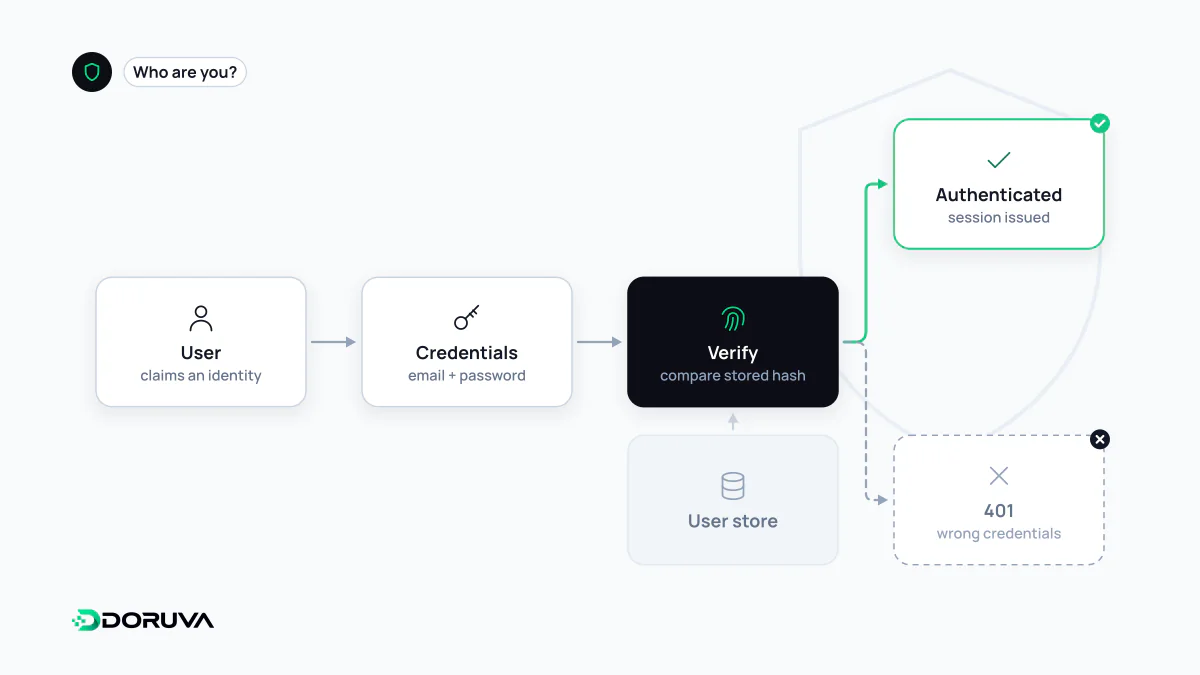
Authentication is the process of verifying that a user, device or service really is who or what it claims to be before granting access to a system. It relies on evidence such as a password, a one-time code, a passkey or a biometric check. Authentication answers "who are you?"; deciding what that verified identity may do is the job of authorization.
Also known as: AuthN, User authentication
Factors: what counts as proof
Evidence of identity is traditionally grouped into three factors: something you know (a password or PIN), something you have (a phone, a hardware key, an authenticator app) and something you are (a fingerprint or face). A login that depends on a single factor collapses as soon as that factor leaks, which is why admin panels, payment flows and systems holding customer data should ask for at least two different kinds of proof.
Multi-factor authentication
MFA (2FA when exactly two factors are used) adds a second, different kind of proof to the password, so a stolen password alone no longer opens the account. Not all second factors are equal. SMS codes are exposed to SIM-swap fraud and phishing; TOTP authenticator apps are stronger. Passkeys and hardware security keys built on WebAuthn/FIDO2 are bound to the website's domain, so a lookalike phishing page cannot simply relay them.
Storing passwords correctly
A password should never be stored in plain text or with reversible encryption. Store a hash produced by a deliberately slow, memory-hard password hashing function with a unique random salt per user. Argon2id is the current first choice (RFC 9106); bcrypt and scrypt remain widely used and acceptable. General-purpose hashes such as MD5, SHA-1 or a single round of SHA-256 are the wrong tool: they are built to be fast, which is exactly what an attacker cracking a leaked database wants.
// Node.js with the argon2 package
import argon2 from "argon2";

// On sign-up: the salt is generated and embedded in the hash string
const hash = await argon2.hash(password, { type: argon2.argon2id });

// On login
const ok = await argon2.verify(hash, submittedPassword);
On the user's side, long passwords that are unique per site matter more than clever symbols; a password manager or Doruva's free password generator makes that practical.
After login: sessions or tokens
Once a user has proven who they are, the system needs a way to recognise them on every following request without asking for the password again. There are two common designs:
| Server-side session | Token (e.g. JWT) | |
|---|---|---|
| Where state lives | On the server; the browser holds only a random session ID in a cookie | Inside a signed token; the server verifies the signature on each request |
| Logging someone out | Easy: delete the server-side record | Harder: the token stays valid until it expires unless you add extra machinery |
| Typical fit | Classic web apps and admin panels | APIs, mobile clients, service-to-service calls |
The most common token format is the JWT, and "Sign in with Google"-style logins run on OpenID Connect, which is built on top of OAuth. Whichever design you pick, session cookies should be marked HttpOnly, Secure and given a suitable SameSite value. When an API request arrives without valid credentials, the correct HTTP status code is 401 Unauthorized — despite the name, it means "I don't know who you are".
Common mistakes
- Treating "logged in" as "allowed": a valid login says nothing about which records a user may touch. That decision belongs to authorization and has to be enforced separately.
- Revealing which accounts exist: separate messages for "unknown email" and "wrong password" help attackers enumerate users. Use one generic message.
- No throttling: without rate limiting and step-up checks on suspicious logins, credential stuffing with leaked password lists succeeds at scale.
- Relying on composition rules: NIST's digital identity guidelines (SP 800-63B) favour length and screening against known-breached passwords over mandatory symbols and forced periodic changes.
- Neglecting password reset: a guessable or never-expiring reset link undermines the strongest login form. Reset tokens should be random, single-use and short-lived.