AI Visibility
How Does ChatGPT See Your Brand? 6 Ways to Measure AI Visibility
AI visibility is how often, how accurately and in what context your brand appears in AI-generated answers. Measuring it means combining prompt-set testing, AI share of voice, GA4 traffic, search engine dashboards and server logs, and reading the trend over time.
By Mehmet ÇalışırPublished 10 min read
Contents
"Does ChatGPT know who we are?" now comes up in plenty of marketing meetings. Most teams answer it by asking a few questions and taking screenshots, only to find that the same question produces a different answer the next day. This guide shows businesses and agencies how to measure AI visibility in a way that is repeatable, reportable and useful for making decisions.
What is AI visibility, and why can't you track it like rankings?
AI visibility is how often, how accurately and in what context your brand appears in the answers of AI systems such as ChatGPT, Gemini, Perplexity, Microsoft Copilot and Google's AI Overviews. It is the measurement side of GEO (generative engine optimization): GEO tries to improve visibility, and measurement tells you whether that work is paying off.
In classic search you can follow your position for a query with reasonable stability. With AI answers, several things get in the way of that kind of precision:
- Answers vary: the same question can be answered with different wording and different sources, even on the same day.
- Context matters: location, language, chat history, personalisation settings and the mode in use can all change the answer.
- Models change: providers update their models and search infrastructure often, so last month's result may not hold this month.
- There is no rank: the answer comes as a paragraph or a list, so "we're in first place" usually means very little.
The right approach, then, is to combine methods that look at the question from different angles rather than chase a single number. The table below sums up the six methods covered in this article and the limits of each.
| Method | What it shows | Limitation | Suggested frequency |
|---|---|---|---|
| Fixed prompt-set testing | Whether you appear for your target questions | It is a sample, and answers vary | Monthly |
| Mention, citation and accuracy tracking | How, and how accurately, you are described | Requires manual review | Monthly |
| AI share of voice | Your position relative to competitors | Only as good as the prompt set | Monthly or quarterly |
| AI-referred traffic in GA4 | Visitors who click through, and their conversions | Misses visibility that never produces a click | Weekly or monthly |
| Search Console and Bing Webmaster Tools | Trends in impressions, clicks and queries | Doesn't always separate AI-driven data | Monthly |
| Server logs | Whether AI crawlers can reach your site | Shows access, not visibility | Monthly |
1. How do you run regular tests with a fixed prompt set?
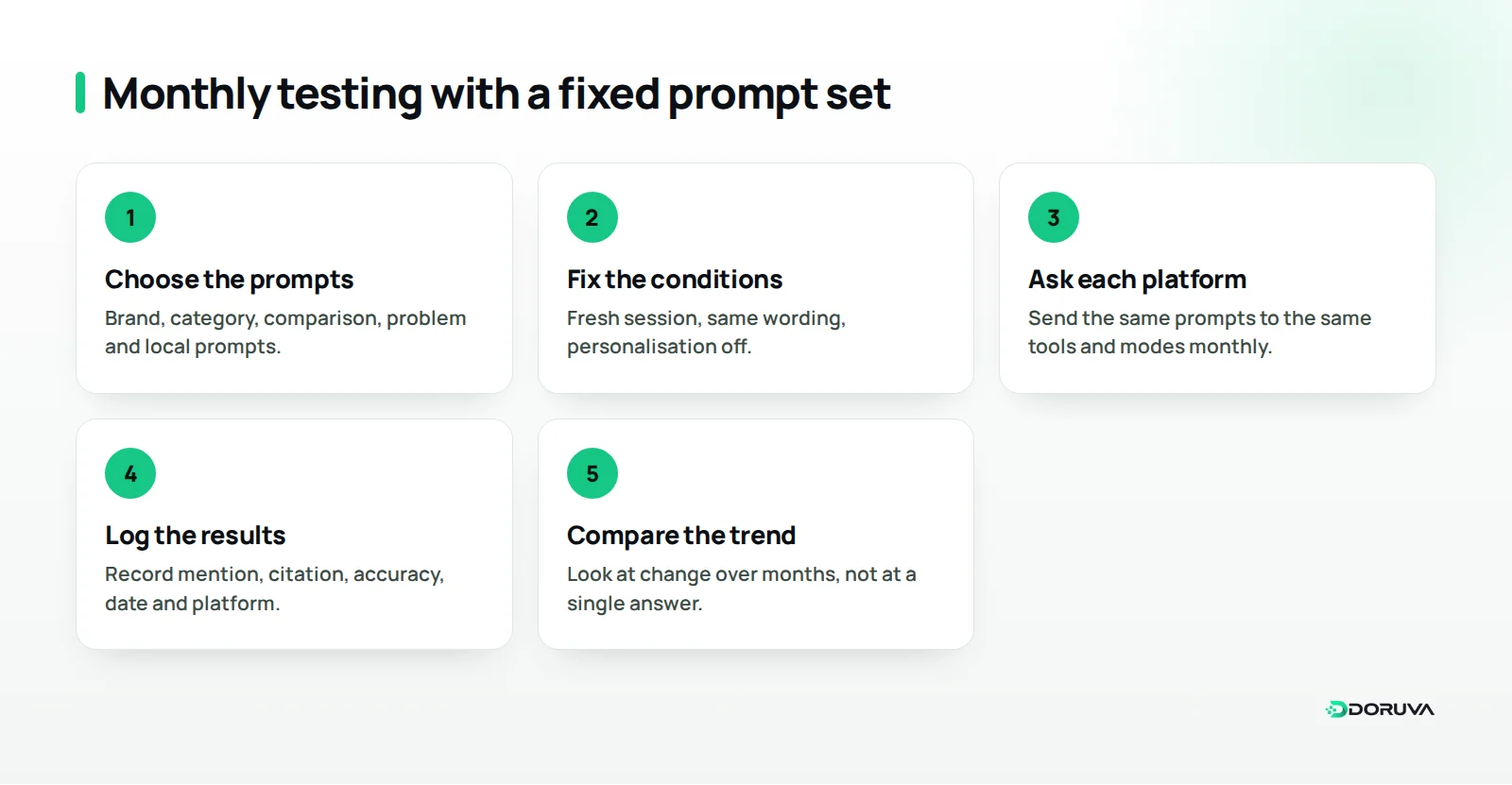
The most basic method is to collect the questions your customers genuinely ask into a fixed list and put that list to AI systems at regular intervals, under the same conditions. That way you are working from a comparable dataset rather than a single screenshot.
A good prompt set covers different intents. For a coffee roaster, a typical mix might look like this:
- Brand prompts: "Which beans does X Coffee use?"
- Category prompts: "Which brands sell freshly roasted specialty coffee online?"
- Comparison prompts: "X Coffee or Y Coffee: which is better for espresso?"
- Problem prompts: "Why does my espresso taste sour at home?"
- Local prompts: "Where can I buy fresh coffee beans in Kadıköy?"
Keep the conditions consistent: switch off personalisation and chat memory where you can, ask each question in a fresh session, use exactly the same wording every time, and log the date, platform and mode. Because answers vary, repeating your most important prompts a few times gives you a more reliable picture than a one-off result. As the list grows, a well-organised spreadsheet or a dedicated monitoring tool makes the job much easier to keep up.
2. How do you track mentions, citations and accuracy separately?
Being named in an answer, being cited as a source and being described correctly are three different things, and each needs its own tracking. A measure that only asks "were we mentioned?" will miss the cases where the answer gets you wrong.
- Mention
- Does your brand name appear in the answer? A brand mention, even without a link, shows the system associates you with the topic.
- Citation
- Is a page on your site linked as a source for the answer? Record which page it was; that tells you which content is doing the work.
- Recommendation
- When the user asks for options, are you recommended directly, or do you just appear somewhere in a long list?
- Accuracy
- Are your service area, product features, way of working and company details reported correctly? AI systems sometimes generate statements that aren't true, which is known as hallucination.
- Tone and context
- Are you mentioned in a positive, neutral or negative light, and placed in the right category?
When you find something wrong, look for where it came from. The cause is often an outdated page on your own site, an old directory listing or external sources that contradict each other. Publishing the correct information clearly on your own site, and bringing external listings into line with it, is the most reliable fix.
3. How do you calculate AI share of voice against competitors?
AI share of voice is a relative measure of how often your brand appears, compared with your competitors, in the answers to your prompt set. It isn't an absolute value, so it is most useful when you compare the same prompt set over time and across competitors.
To calculate it simply, record which brands are mentioned in each answer across your prompt set. Then divide the number of answers that mention each brand by the total number of answers. AI share of voice turns the question "in how many category answers do we appear, and in how many do our competitors?" into something concrete.
The result is more useful when read together with accuracy. Being mentioned often but described wrongly calls for different action from being mentioned rarely but described well. The matrix below offers a simple way to look at both dimensions at once.
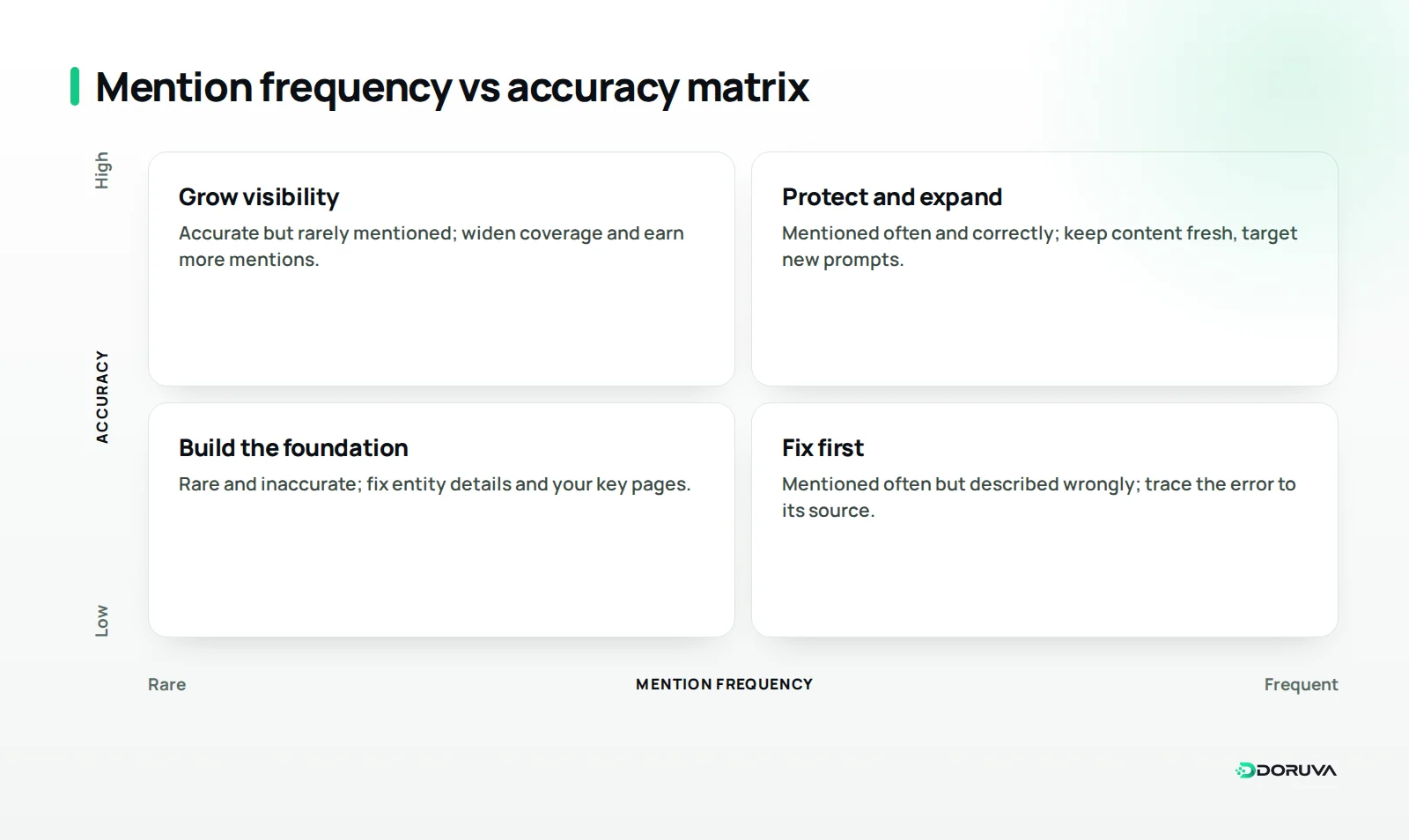
Build a balanced prompt set when you calculate share of voice. Prompts that already contain your brand name inflate the result artificially; category and problem prompts show where the real competition is. If you are reporting for an agency client, agree the competitor list with the client up front.
4. How can you see AI-referred traffic in GA4?
You can pick out visits that arrive by clicking through from AI platforms using the referral data in Google Analytics 4 (GA4). This shows the part of your visibility that turns into business: people who land on your site and convert.
- Find the sources: look at session source in the acquisition reports and search for domains such as chatgpt.com, perplexity.ai, gemini.google.com and copilot.microsoft.com.
- Create a custom channel: use GA4's custom channel groups to bring these sources together in a separate channel, for example "AI assistants". Update the list as new platforms appear.
- Check landing pages: see which pages these visitors arrive on; it is a good indication of which content is being cited.
- Connect conversions: track goals such as form submissions, quote requests or purchases for this channel separately.
Some platforms add their own UTM parameters to outbound links, which makes the source easier to identify. But this data has two important limits. First, many users read the answer and leave without clicking, and that visibility leaves no trace in your analytics. Second, visits from mobile apps can arrive without referrer information and show up as direct traffic. AI-referred traffic is therefore a floor for your visibility, not the full picture.
5. What should you look for in Search Console and Bing Webmaster Tools?
Search engines' own dashboards offer indirect but valuable clues about how you perform in AI-assisted search experiences. According to Google's documentation on AI features, appearances in AI Overviews and AI Mode are included in the overall performance data in Search Console. The data is there, in other words, but not necessarily as a separate report, so check which breakdowns your account currently offers.
Watch for these trends:
- Impressions versus clicks: if impressions hold steady on informational queries while clicks fall, users may be getting their answer on the results page.
- Long, conversational queries: a rise in long, full-sentence queries can suggest people are starting to use search like an assistant.
- Page-level changes: compare the pages gaining or losing impressions with the pages cited in your AI tests.
Because Microsoft Copilot draws on Bing's search infrastructure, Bing Webmaster Tools is worth watching too. Check regularly which reports on AI experiences it offers; search engines' reporting in this area is changing quickly.
6. What do server logs tell you about AI crawlers?
Server logs show how often AI companies' crawlers visit your site and which pages they request. That isn't a measure of visibility, but it confirms whether access, the precondition for visibility, is actually happening.
The AI crawlers you will see in your logs fall roughly into three groups:
- Training crawlers: bots such as GPTBot, ClaudeBot and CCBot collect content for model training or general datasets.
- Search crawlers: bots such as OAI-SearchBot, Claude-SearchBot and PerplexityBot feed the search indexes behind answer engines.
- User-triggered fetchers: agents such as ChatGPT-User, Claude-User and Perplexity-User arrive to open a page at a user's request.
A rise in user-triggered fetches is an indirect sign that your content is being opened in real conversations. Search crawlers never reaching your key pages, or hitting error codes when they do, is a problem to fix first. Remember that user agent strings can be spoofed; many providers, OpenAI among them in its crawler documentation, publish their bots' IP ranges, which you can use for verification. For decisions on which bots to allow, the technical section of our AEO guide is a useful reference.
How should you interpret and report the results?
The basic rule for interpreting AI visibility data is to look at trends over time, not individual answers. A mention that disappears for a month is no reason to panic; a steady decline across category prompts over three months is a signal worth investigating.
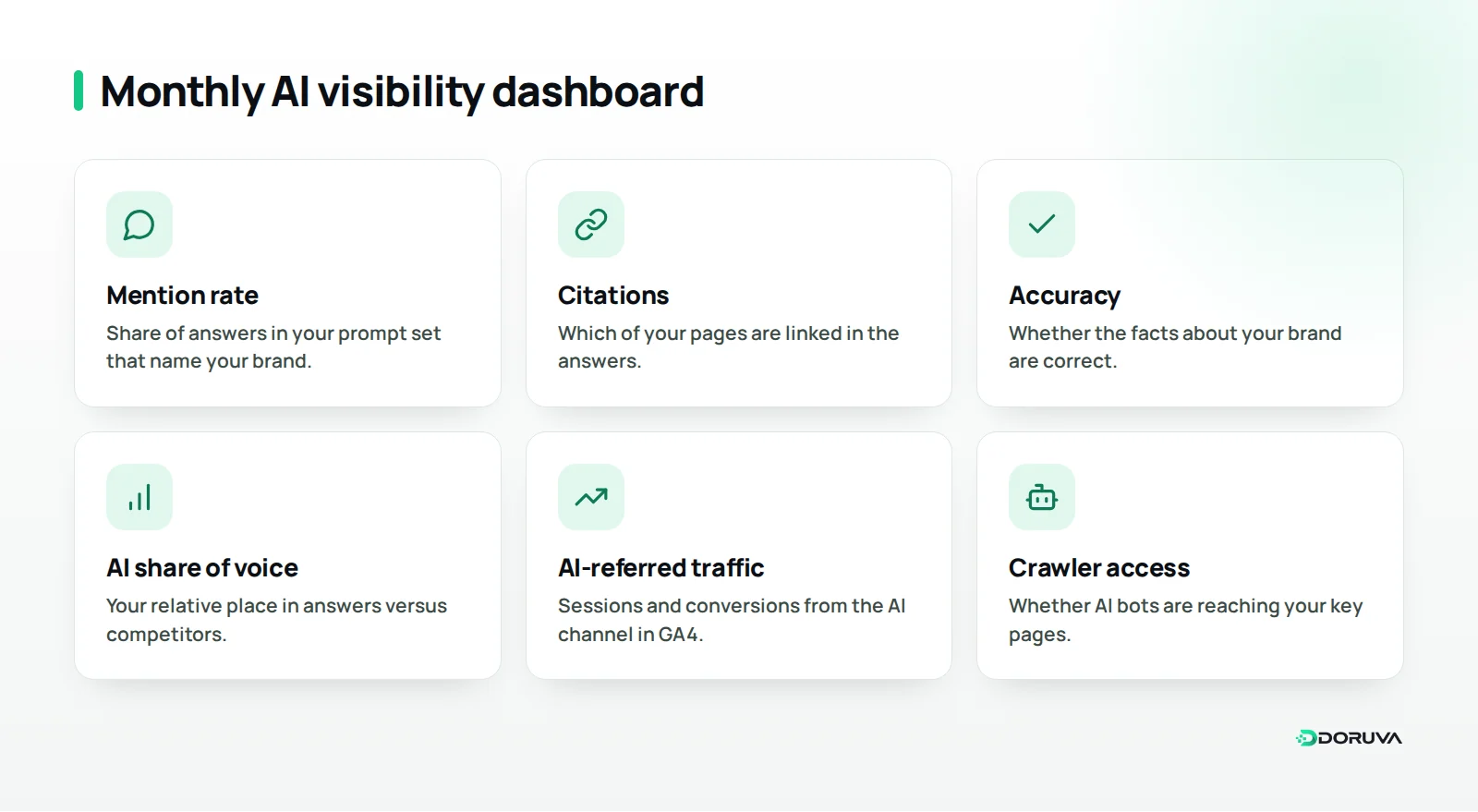
For a monthly report, we suggest this structure:
- Summary: mention and citation rates across the prompt set, and the change since last month.
- Competition: the competitors leading on AI share of voice, and where you stand.
- Accuracy: incorrect information you found and where it probably came from.
- Traffic: sessions, landing pages and conversions from the AI channel.
- Actions: pages to update and listings to correct next month.
Keep visibility and readiness apart, too. Readiness is how accessible and understandable your site is to AI systems; visibility is how much those systems actually use you. Our GEO checker measures the readiness side, reviewing signals such as crawler access, entity definitions, structured data and quotable content. If your readiness score improves while your visibility metrics stay flat, the gap is most likely in content coverage or external trust signals.
Summary: where should you start measuring AI visibility?
Rather than relying on a single tool or a single number, use the six complementary methods together. To start, draw up a set of 20 to 30 prompts, test it every month under the same conditions, create an AI channel in GA4 and check your server logs to confirm crawler access.
The real value of measurement lies in the actions it points to: which page to update, which fact to correct, which topic is missing. If you'd like to set up this cycle with an experienced team, explore our AI visibility service or get in touch to measure your brand's AI visibility.
Frequently Asked Questions
Do I need a paid tool to measure AI visibility?
No. A fixed prompt set, a well-kept spreadsheet, GA4 and your server logs are enough for a meaningful start. Monitoring tools save time once the number of prompts and platforms grows.
How many prompts should my prompt set include?
There is no magic number; 20 to 30 prompts give most businesses a workable sample to begin with. What matters more is covering brand, category, comparison, problem and local intents in balance.
What should I do if ChatGPT gets facts about my brand wrong?
First find the likely source of the error, such as an outdated page, an old directory listing or a conflicting external source. Then publish the correct information clearly on your own site and bring external listings into line with it.
Why does my AI-referred traffic look so low?
Many users read the answer and leave without clicking, and some apps don't pass referrer information. The AI traffic you see in analytics therefore reflects only part of your real visibility.
Does a GEO checker score show my AI visibility?
No. A GEO check measures readiness signals that show how prepared your site is for AI systems. To see how much those systems actually use you, you need visibility measures such as prompt-set testing and traffic data.
How often should AI visibility be reported?
A monthly report works for most businesses. Because answers vary, week-to-week swings can mislead; the trend that builds up over several months gives a more reliable picture.