

What is Image SEO?
Definition
Image SEO is the work that helps a site's images be found, understood and shown for relevant queries on Google Images, as text-result thumbnails, in Discover and in visual search. It covers serving images in crawlable HTML, descriptive alt text and file names, the context of the page an image sits on, image sitemaps and metadata that signals a page's preferred preview image.
Also known as: image search optimization, Google Images SEO, picture SEO, photo SEO
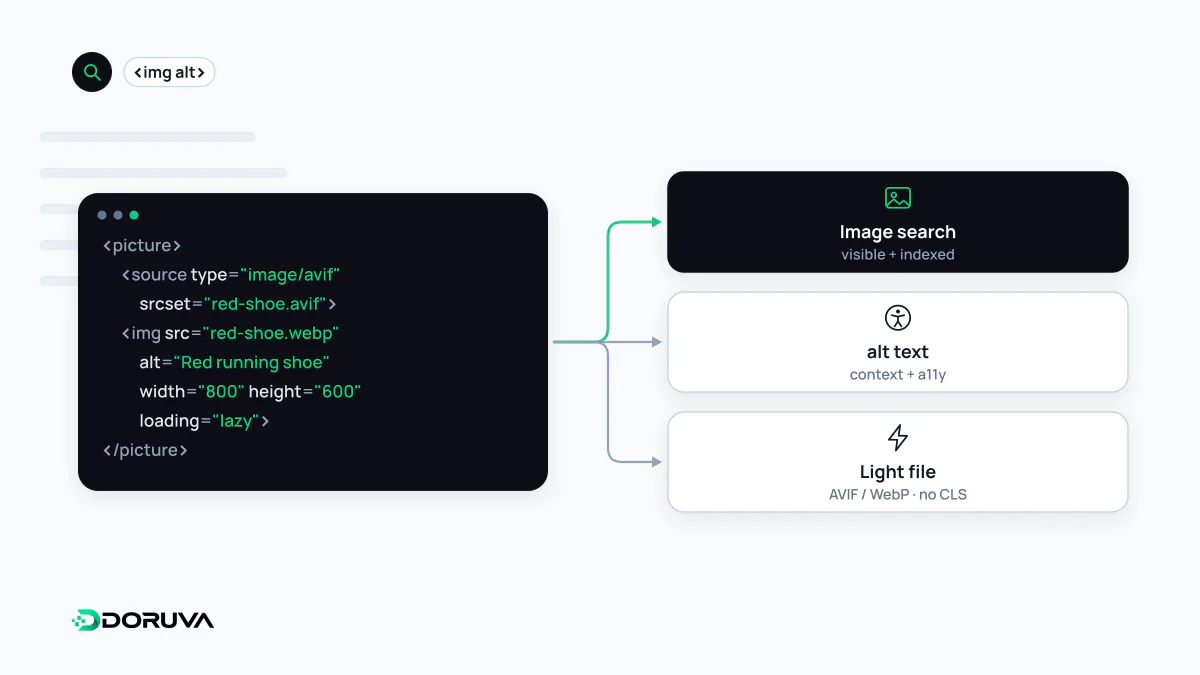
Where images show up
Images earn visibility well beyond the Google Images tab. Google applies the same recommendations to the thumbnails beside text results, to Discover and to visual search. Image results are especially common for "what does it look like" queries and product searches.
Image SEO overlaps with two neighbouring ideas without being the same thing. Image optimization is about file size, formats and loading speed; alt text is a single HTML attribute. Image SEO draws on both, but its real questions are different: can Google find the image, can it tell what the image shows, and which page does it associate it with?
Discoverability first
Google finds images in the src attribute of an <img> element, including one nested inside <picture>. Images set as CSS backgrounds are not indexed.
<!-- Discoverable and indexable -->
<img src="/images/hand-thrown-stoneware-mug.webp" alt="Hand-thrown stoneware mug with a blue glaze">

<!-- Not indexed: CSS background -->
<div style="background-image:url(/images/mug.webp)"></div>- Supported formats are BMP, GIF, JPEG, PNG, WebP, SVG and AVIF; the file extension should match the actual type.
- With
srcsetor<picture>, always provide a fallback URL insrc. - An image sitemap surfaces images Google might otherwise miss, and unlike regular sitemaps it may list URLs on another domain such as a CDN.
- When one image appears on many pages, reference it with the same URL everywhere so Google can reuse it instead of fetching it repeatedly.
How Google works out what an image shows
Google draws on the page's content, headings and captions, combined with computer vision. The single most important piece of metadata is alt text, which serves screen-reader users as well as search. File names are only a light hint, though blue-stoneware-mug.webp still beats IMG_00023.JPG.
Placement matters too. A product photo next to a detailed description carries far more context than the same photo sitting alone on an unrelated page. Stuffing keywords into alt attributes, on the other hand, hurts the experience and can be treated as spam.
Choosing a page's preview image
Google picks the image shown for a page in results or Discover automatically, but you can state a preference with primaryImageOfPage, with an image property on the page's main entity, or with the Open Graph og:image tag:
<meta property="og:image" content="https://example.com/images/mug-cover.jpg">Google advises against logos and text-heavy images for this purpose, warns about extreme aspect ratios, and recommends high resolution where possible.
Speed versus quality
Sharp, high-quality photos attract more clicks, yet images are often the heaviest part of a page. Correct sizing, modern formats and responsive images keep both goals in balance. Sites that do not want full-size images displayed inside Google Images can also opt out of inline linking; the details are in Google's image SEO best practices.