

What is Content Decay?
Definition
Content decay is the slow, sustained loss of organic clicks and visibility by a page that once performed well. Unlike a sudden technical failure, it unfolds over months, usually because the information has aged, competitors have published better pages, search intent or the results page layout has changed, or demand for the topic has fallen.
Also known as: traffic decay, content erosion, organic traffic decline, decaying content
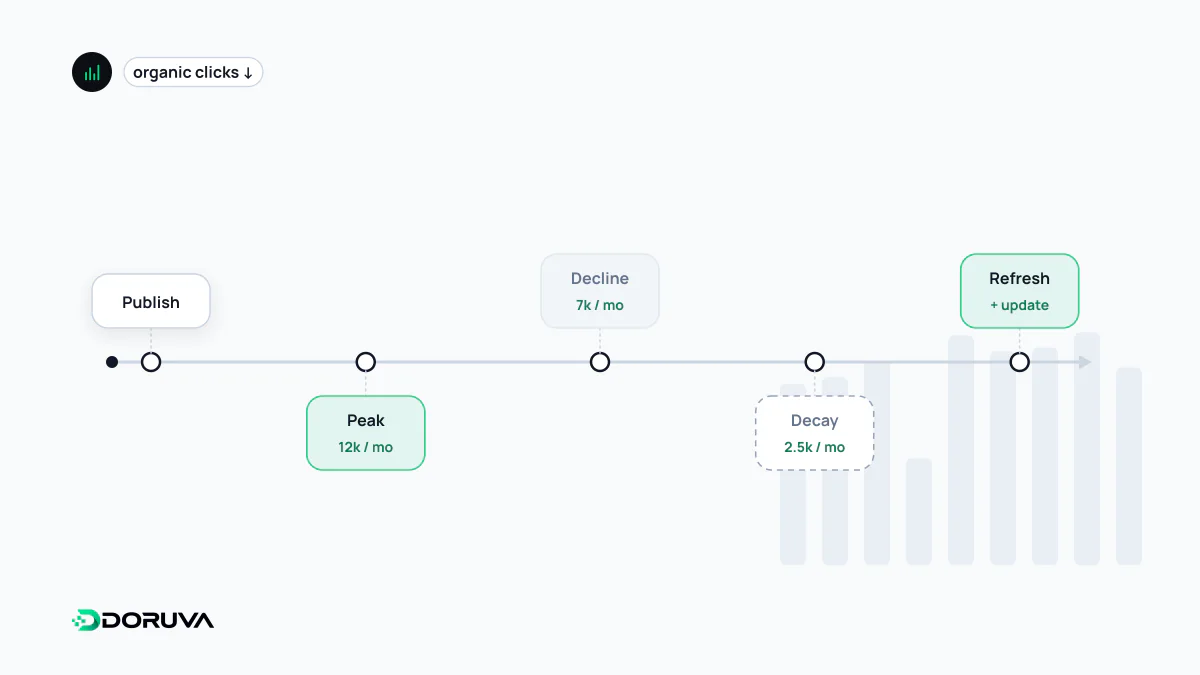
Decay versus a sudden drop
The classic decay curve is a peak followed by a long, uneven but steady slide. Traffic that halves overnight is a different story: an accidental noindex, a broken redirect, a manual action or a reassessment after a core update. Seasonality is not decay either; a "Christmas gift ideas" page losing traffic in February is behaving normally. Separating these three cases is the first step to choosing the right fix.
Why pages fade
| Cause | How it typically shows in the data |
|---|---|
| Competitors published fresher or more thorough pages | Average position slips a few places over several months |
| The information aged (prices, versions, regulations, screenshots) | Gradual position loss as the page stops answering the question correctly |
| Search intent shifted | The type of page ranking at the top has changed, for example guides replaced by product listings |
| The results page layout changed | Position and impressions hold steady while clicks and click-through rate fall |
| Demand for the topic fell | Impressions drop with a stable position, and Google Trends shows waning interest |
| The page was buried internally | Links from the menu or key pages were removed during a redesign |
The fourth row has become more common. When AI Overviews, a featured snippet or People Also Ask boxes appear on a query, a page can hold its position and still earn fewer clicks. That is a change in how the results page is shared, not a quality problem, and rewriting the article alone will not reverse it.
Diagnosing it with Search Console
- In the Performance report of Google Search Console, compare the last three months with the same period a year earlier. A year-over-year comparison strips out most seasonality.
- On the Pages tab, sort by the difference in clicks. The biggest losers are your candidate list.
- Read clicks, impressions, CTR and position separately for each candidate. Which metric moved tells you which cause in the table applies.
- Drill into the queries the page lost and look at today's results for them yourself.
Search Console keeps 16 months of data. Exporting it regularly is the easiest way to spot long-term decline before it becomes obvious.
Refresh, merge, reposition or let go
- Substantive refresh: correct outdated facts, answer new questions, replace examples and visuals. Bumping the date is not a refresh; Google's helpful content guidance lists changing dates without substantial changes as a warning sign.
- Consolidate: if several weak pages cover fragments of one topic, merge them into a single strong page and 301-redirect the rest.
- Reposition: if intent has changed, rebuild the page in the format the query now calls for, or hand the query to a better-suited page.
- Let it go: if demand has genuinely dropped, spend the effort on growing topics instead of propping up the page.
Pages on subjects that change little over time, evergreen content, decay the slowest, but they still need periodic review. How freshness signals work is covered under content freshness.