

What is 403 Forbidden?
Definition
403 Forbidden is the HTTP status code meaning the server understood the request but refuses to fulfil it. If credentials were sent, the server considers them insufficient, so repeating the request with the same credentials will not help. The refusal can also have nothing to do with identity, coming instead from file permissions, IP restrictions, firewall rules or bot protection.
Also known as: HTTP 403, 403 error, access denied
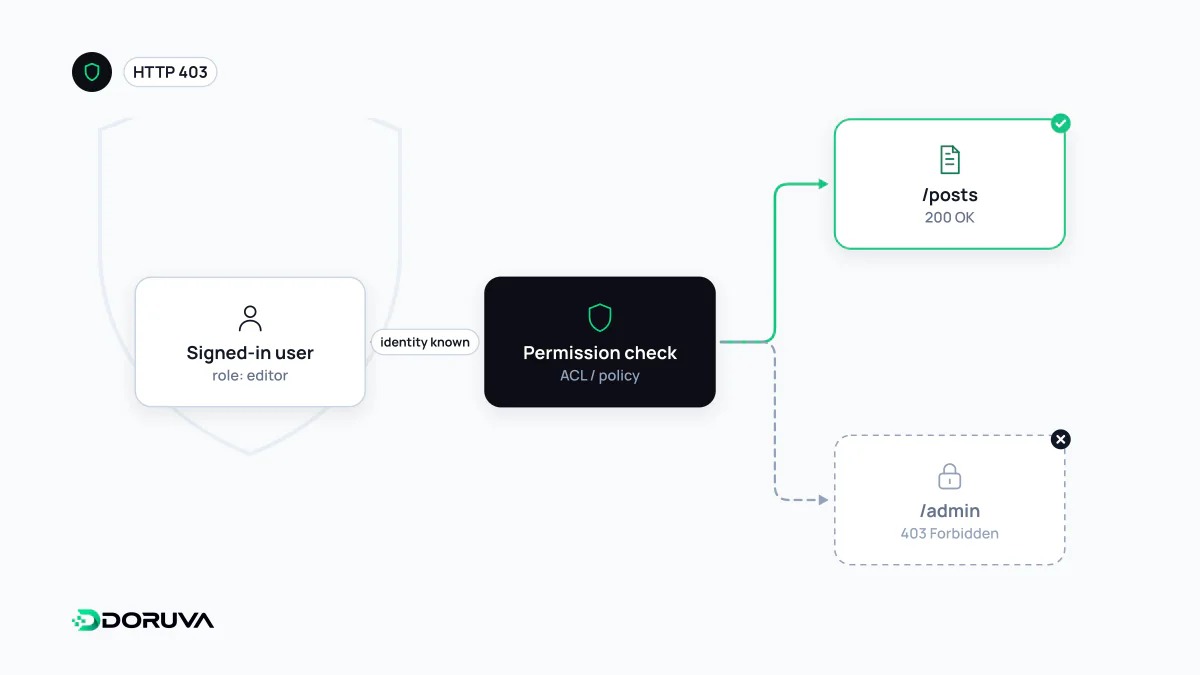
Which layer said no?
The same 403 can come from very different layers along the request path, and finding which one refused is the first step to fixing it:
- Application: the user is signed in but their role isn't enough, for example an editor account opening the settings page. That is the authorization layer doing its job.
- Web server: file permissions stop the server process from reading a file, or a folder without an index file is requested while directory listing is disabled.
- Security layer: a WAF rule matches the request against an attack pattern, the IP or country is blocked, or bot protection decided the client is automated traffic.
- Storage and CDN: an object in a private bucket isn't public, or hotlink protection rejects an image request coming from another site.
The response body and headers usually give it away: WAFs and CDNs serve their own error pages and often add a header carrying an event or ray ID.
403 or 404? Hiding that something exists
A 403 implicitly confirms that the resource exists. That is not always desirable: a system that answers 403 for /invoices/10452 and 404 for /invoices/99999 tells an attacker which records are real. RFC 9110 therefore explicitly allows a server to respond with 404 instead, to hide the existence of a forbidden resource. For other users' records and admin URLs, a 404 is often the safer answer. It does not replace access control; it only limits information leakage. Scoping access narrowly in the first place is what the principle of least privilege is about.
Accidentally serving 403 to Googlebot
The sneakiest 403 for SEO is the one only bots get. Aggressive bot protection or a rule blocking data-centre IP ranges can stop Googlebot too: the site loads fine in your browser while Google receives a 403 instead of content. Google handles 403 like other 4xx codes: the URL isn't indexed, and if it already was, it is eventually removed. Search Console reports these pages as "Blocked due to access forbidden (403)".
Switching your browser's user agent is not a real test, because security rules usually look at the IP address as well. The reliable check is the live test in Search Console's URL Inspection tool. The lasting fix is a rule that recognises Googlebot through the reverse DNS verification Google documents rather than by user agent. Google also asks site owners not to use 401 or 403 to slow crawling down; codes such as 503 and 429 exist for that.