

What is MFA (Multi-Factor Authentication)?
Definition
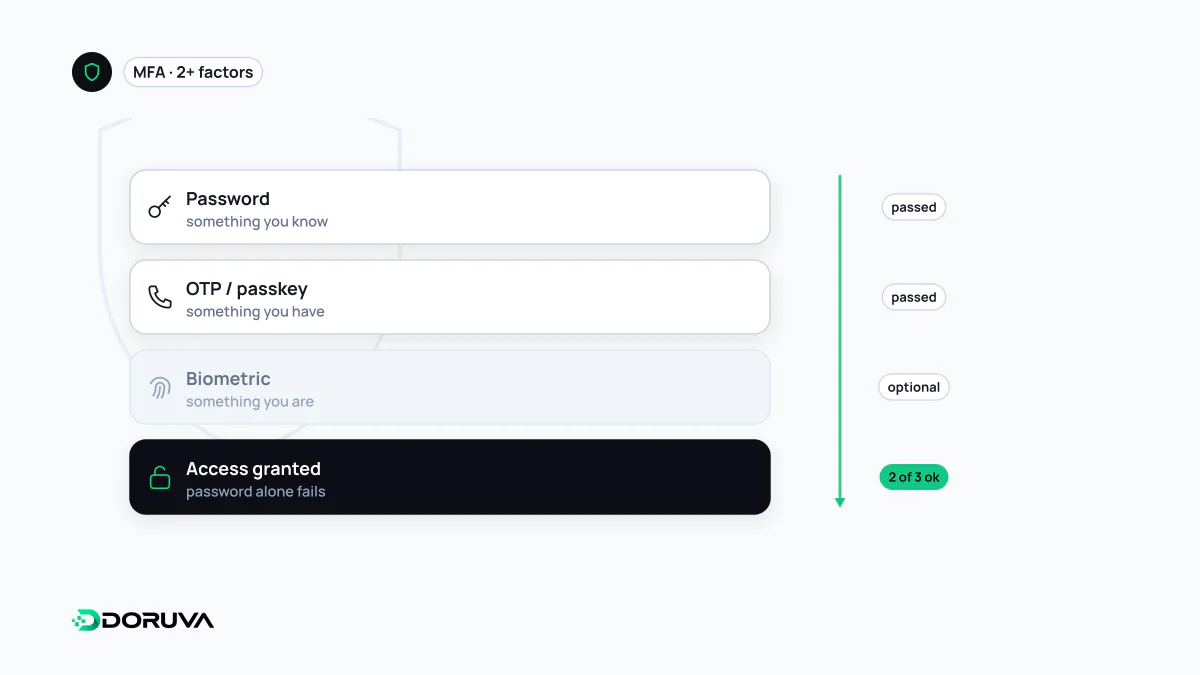
MFA (multi-factor authentication) is verifying a user's identity with at least two different kinds of evidence: something they know (a password), something they have (a phone or security key) or something they are (a fingerprint or face). Using exactly two factors is called 2FA. Because a stolen password alone no longer opens the account, MFA is one of the most effective defences against account takeover.
Also known as: 2FA, two-factor authentication, two-step verification, multifactor authentication
What counts as a factor
In authentication, factors fall into three classic groups: knowledge (a password or PIN), possession (an app on your phone, a hardware security key, a smart card) and inherence (a fingerprint or face). MFA gets its strength from combining groups: someone who phishes your password still cannot get in without the device in your pocket.
That is also why two pieces of evidence from the same group are not MFA. OWASP's guidance says so explicitly: a password plus a PIN, or a password plus a security question, asks for two things but is still a single factor. 2FA is simply the most common form of MFA, using exactly two factors.
Not all second factors are equal
| Method | How it works | Weak spot |
|---|---|---|
| SMS or voice code | A one-time code is sent to a registered number | SIM swapping and number porting can redirect it; it can be typed into a phishing page |
| Authenticator app (TOTP) | The app derives a new code, usually every 30 seconds, from a shared secret and the clock | The user types the code, so it can be typed into a fake page too |
| Push notification | The phone asks “Is this you signing in?” | Repeated prompts can wear a user down until they approve (MFA fatigue) |
| Security key or passkey (FIDO2/WebAuthn) | A private key on the device signs a challenge from the site | Phishing-resistant; the hard part is recovery when a device is lost |
The fourth revision of NIST's digital identity guideline, SP 800-63B, classifies one-time codes sent over the phone network as a “restricted” authenticator and states that this kind of out-of-band authentication is not phishing-resistant. That does not make SMS worthless; it is far better than no second factor. It should just not be the only option on sensitive systems.
Why phishing resistance decides the matter
Many account takeovers today use fake login pages that ask for the password and the one-time code together. Once the victim enters the code, the attacker can replay it on the real site within seconds, and SMS or TOTP offers no protection. Security keys and passkeys work differently: the signature created through the Web Authentication API is bound to the site's origin, so a page on a look-alike domain cannot obtain a signature that the real site will accept. As MDN notes, passkeys on the web are built on this API, and since the server only stores a public key, a database breach leaves no reusable secret behind.
A passkey is usually treated as multi-factor on its own: the key lives on the device (possession) and unlocking it takes a fingerprint, face scan or PIN (inherence or knowledge).
Recovery is where MFA quietly fails
What happens when someone loses their phone is the most neglected part of MFA design. Pairing a strong factor with “recover via SMS”, or with a support desk that resets MFA after one phone call, drags the whole system down to the weakest path. Sound practice looks like this:
- Issue single-use recovery codes when MFA is set up, and ask the user to store them somewhere safe.
- Let users register more than one security key or passkey.
- Require re-authentication to disable MFA or add a factor, and notify the user by email when it happens.
- For push, use number matching instead of a bare approve button, and throttle repeated prompts.
Where to switch it on first
For a site owner the priority list writes itself: the CMS and every admin account, the hosting or cloud console, the domain name registrar and DNS panel (a change there can redirect the entire site and its email), the mailbox that receives password reset links, and the code repository. MFA does not make the first factor irrelevant; a long, unique password per account still matters against brute-force attacks and password reuse, and Doruva's Password Generator can create one. For teams building applications, the session created after a successful MFA login needs the same care: steal that session cookie and the MFA step is bypassed entirely.