

What is ERP (Enterprise Resource Planning)?
Definition
ERP (enterprise resource planning) is a software system that runs a company's core operations, such as accounting, purchasing, inventory, manufacturing, sales orders and HR, as connected modules on a shared database. The idea is that each transaction is entered once and reflected everywhere it matters: posting a sales invoice reduces stock, updates the customer's balance and creates the accounting entries in the same step.
Also known as: Enterprise Resource Planning, ERP software, ERP system
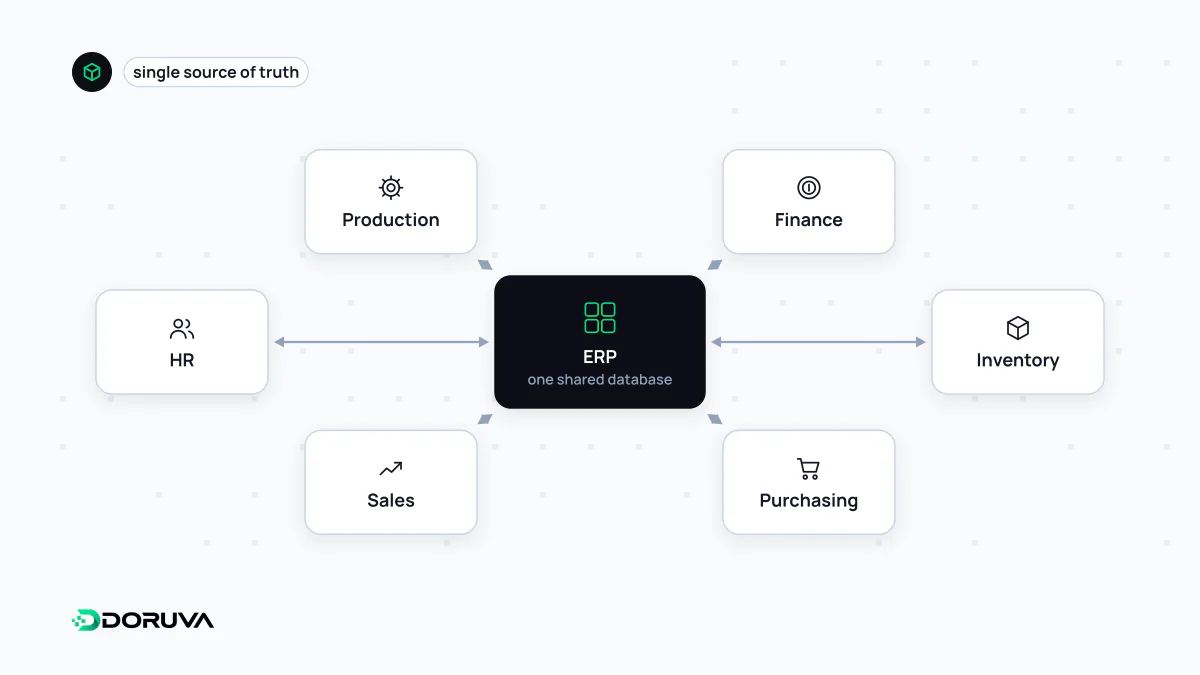
One shared record of the business
Before an ERP, many companies keep accounting in one program, stock in another and the production plan in a spreadsheet. Each department trusts its own numbers, month-end figures never quite agree, and reconciling them takes days. The core idea of ERP is that the modules share one database. When goods arrive at the warehouse, stock levels, inventory valuation and the related accounting entries all change in a single transaction.
Common modules:
- Finance and accounting: general ledger, receivables and payables, cash and bank, cost accounting.
- Procurement: requisitions, supplier quotes, purchase orders, goods receipt.
- Inventory and warehousing: item master, transfers between sites, lot and serial tracking.
- Manufacturing (MRP): bills of materials, work orders, capacity and material requirements planning.
- Sales and distribution: price lists, sales orders, shipping, invoicing.
- HR and payroll: employee records, leave, salary calculation.
An ERP rollout is a process project
ERP projects have a reputation for overrunning, and the cause is usually process rather than software. Implementation forces a company to write down exactly how it works from purchase to delivery, and exceptions nobody has questioned for years surface along the way. There are two basic options: adapt the process to the software's standard flow, or customise the software to fit the process. Customisation reduces resistance today, but leaves code that must be retested and migrated at every upgrade.
The line items most often underestimated are migrating and cleaning legacy data, training users, choosing between a big-bang go-live and a phased one, and running old and new systems in parallel during the switch. Where e-invoicing is mandated, as in Turkey with e-Fatura and e-Arşiv, those flows typically run through the ERP and belong in scope from day one.
Where ERP ends and CRM begins
| ERP | CRM | |
|---|---|---|
| Focus | Internal operations (back office) | Customer relationships (front office) |
| Main users | Finance, purchasing, warehouse, production | Sales, marketing, support |
| Core records | Invoices, stock movements, work orders, journal entries | Leads, deals, calls, quotes |
| Key question | “What do we have and what did it cost?” | “Who can we sell what to, and when?” |
Some ERPs ship a CRM module and some CRMs stretch into quoting and order management, so the line moves from product to product. What matters is a clear decision about which system owns which data.
Integrating custom software with an ERP
Custom software such as an online shop, a B2B dealer portal or a field sales app usually treats the ERP as the source of truth: products, prices and stock are read from it, and new orders are written back. Recurring issues in that connection:
- Integration method: modern ERPs expose an API; older installations rely on staging tables, file drops or direct database access. Writing straight into the ERP's tables is the riskiest route because it bypasses the ERP's own business rules.
- Resilience: an order placed on the website must not be lost because the ERP is down for maintenance. Writing orders to a message queue and processing them when the ERP is reachable solves this.
- Duplicates: an order resent after a network error must not be created twice, so the transfer has to be idempotent.
- Master data mapping: each product variant on the website must map to the right item in the ERP, typically by SKU, or the integration fails quietly.
- Freshness: a nightly batch may be fine for product descriptions but not for stock; fast-moving data needs event-driven or frequent sync.
SAP, Oracle, Microsoft Dynamics 365 and the open source Odoo are common internationally, while vendors such as Logo and Mikro are widespread in Turkey. Integration capabilities vary greatly by version and deployment model.