

What is System Prompt?
Definition
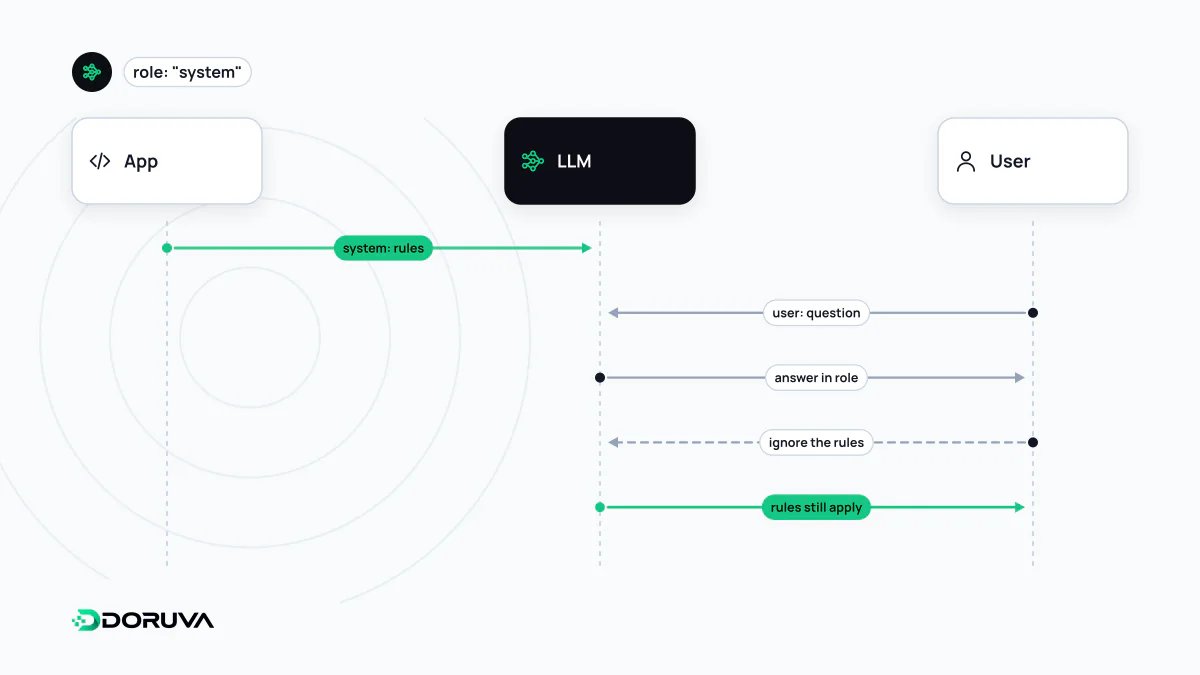
A system prompt is the set of instructions an AI application's developer gives a language model before the conversation starts, and which stays in force for the whole conversation. It defines the model's role, scope, tone, available tools and output format, and end users usually never see it. Models are trained to give system instructions priority over user messages, but a system prompt is not a security boundary.
Also known as: system message, system instructions, developer message, developer prompt
Where it sits in an API call
Providers carry system-level instructions separately from user messages. In Anthropic's Messages API it is the system parameter, outside the message list. OpenAI's text generation guide describes an instructions parameter and messages with the developer role, which are prioritized ahead of user messages. Roughly:
{
  "system": "You are the customer support assistant for Example Parcel. ...",
  "messages": [
    { "role": "user", "content": "Why hasn't my parcel gone out for delivery yet?" }
  ]
}
The user asks something different every turn; the system prompt is sent unchanged with every request and frames how the model behaves throughout the conversation.
What belongs in a good system prompt
- Role and audience: on whose behalf is the model speaking, and to whom? Engineers or end customers?
- Scope: what it should help with, and what it should politely redirect.
- Source rule: must it rely only on the supplied documents? What should it say when the answer is not there?
- Tool use: which tool it may call and when, and which actions need user confirmation, closely tied to function calling.
- Tone and format: formality, length, lists versus paragraphs.
- Handoff: when to pass the conversation to a human.
Explaining why an instruction exists usually helps. “Answers are read on mobile screens, so keep them under three sentences” works better than “be brief”, because the model can apply the reasoning to cases you did not anticipate.
Neither secret nor a security boundary
Assuming the system prompt is hidden from users is a common mistake. Users can coax a model into repeating its instructions in many ways, and the OWASP Top 10 for LLM Applications lists this as its own risk, System Prompt Leakage (LLM07:2025). Two practical rules follow:
- Keep secrets out of it. API keys, internal hostnames, password rules and customer data belong in the application's own secure layer, not in prompt text.
- Do not delegate authorization to it. “Never show this user other customers' orders” is not an access control. Enforce permissions in code so that the model can never reach data the user is not allowed to see.
External text that tries to override system instructions is known as prompt injection. Models are trained to prioritize system instructions, but that priority is a tendency, not a guarantee.
Manage it like code
A system prompt defines product behavior, so it deserves the same care as source code. Keep it in version control, test every change against a set of real user questions, and re-evaluate it whenever the model version changes. Length matters too: the system prompt takes up room in the context window on every request and adds to cost. For long instructions that rarely change, the prompt caching features some providers offer can reduce that cost. Designing the whole context, including instructions, examples and retrieved information, is the broader discipline of context engineering.